
CULTURAL HERITAGE INITIATIVES

CULTURAL HERITAGE INITIATIVES

About CHI | Updates | Projects | CHI Tutorials | Who We Are

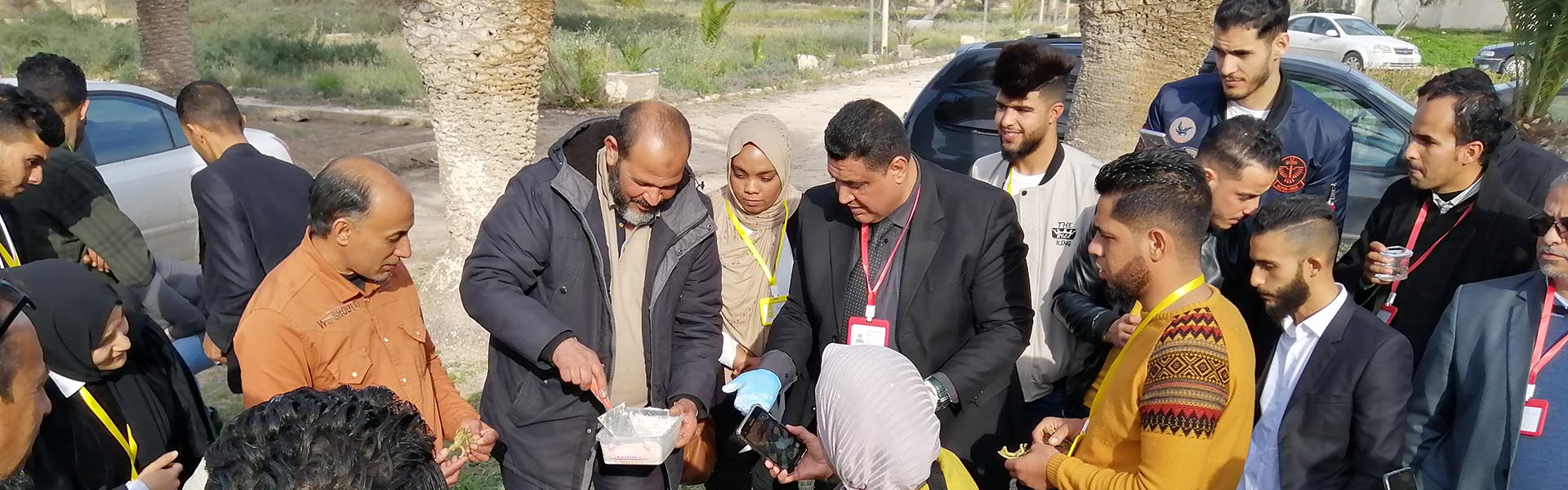
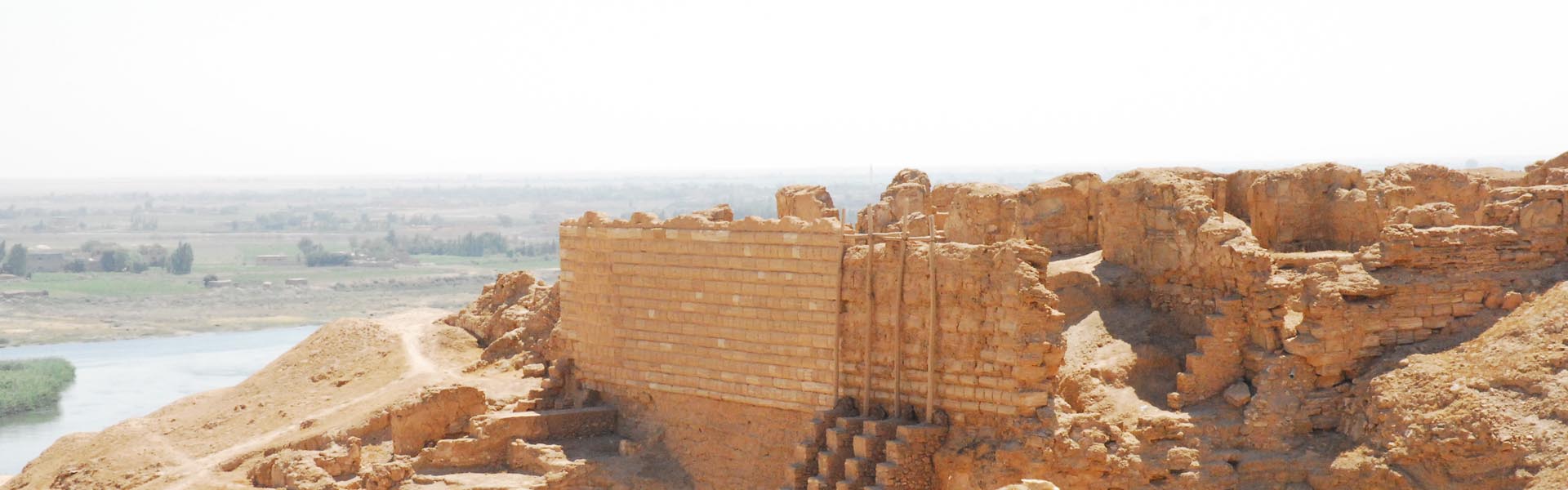
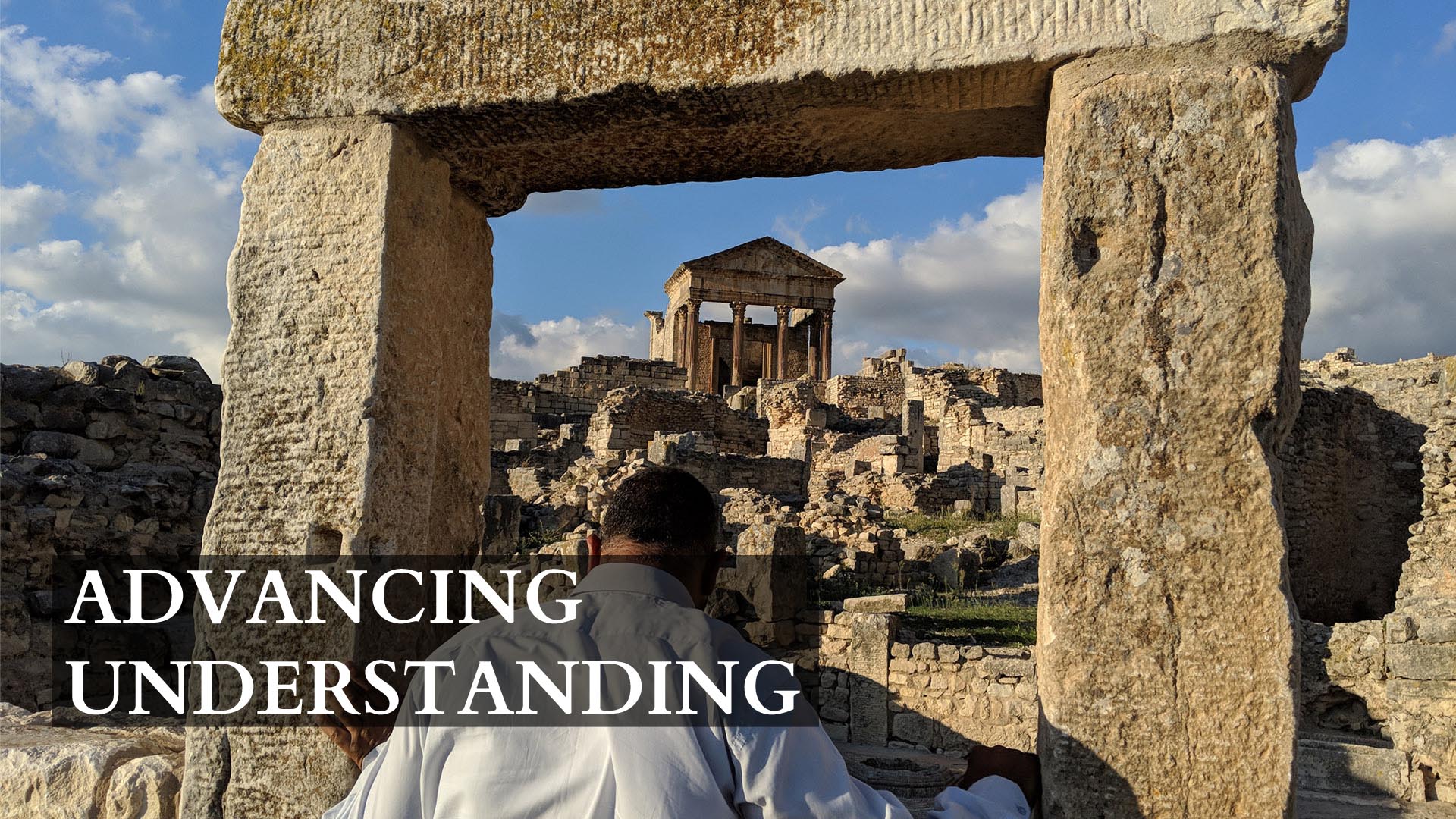
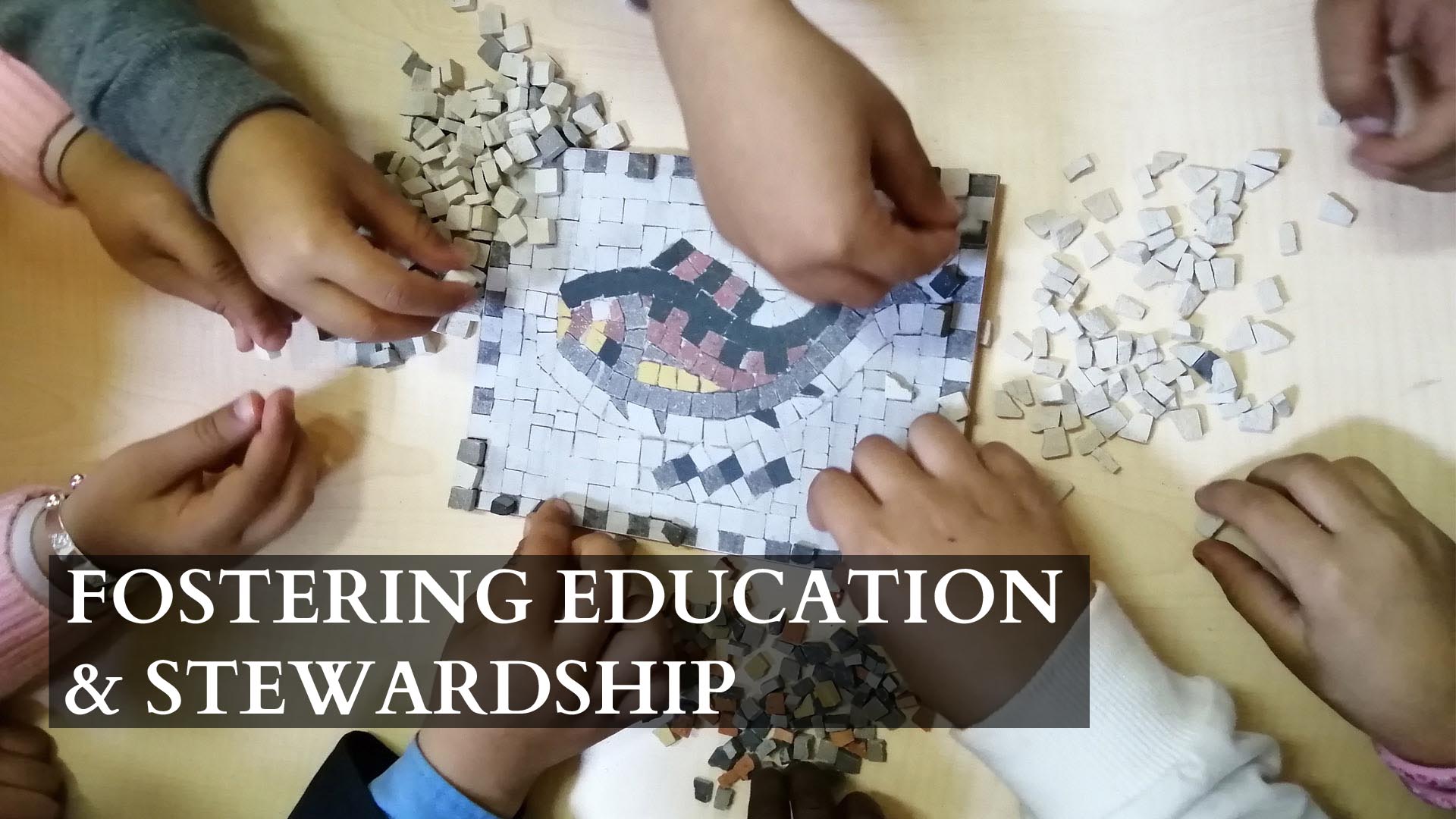
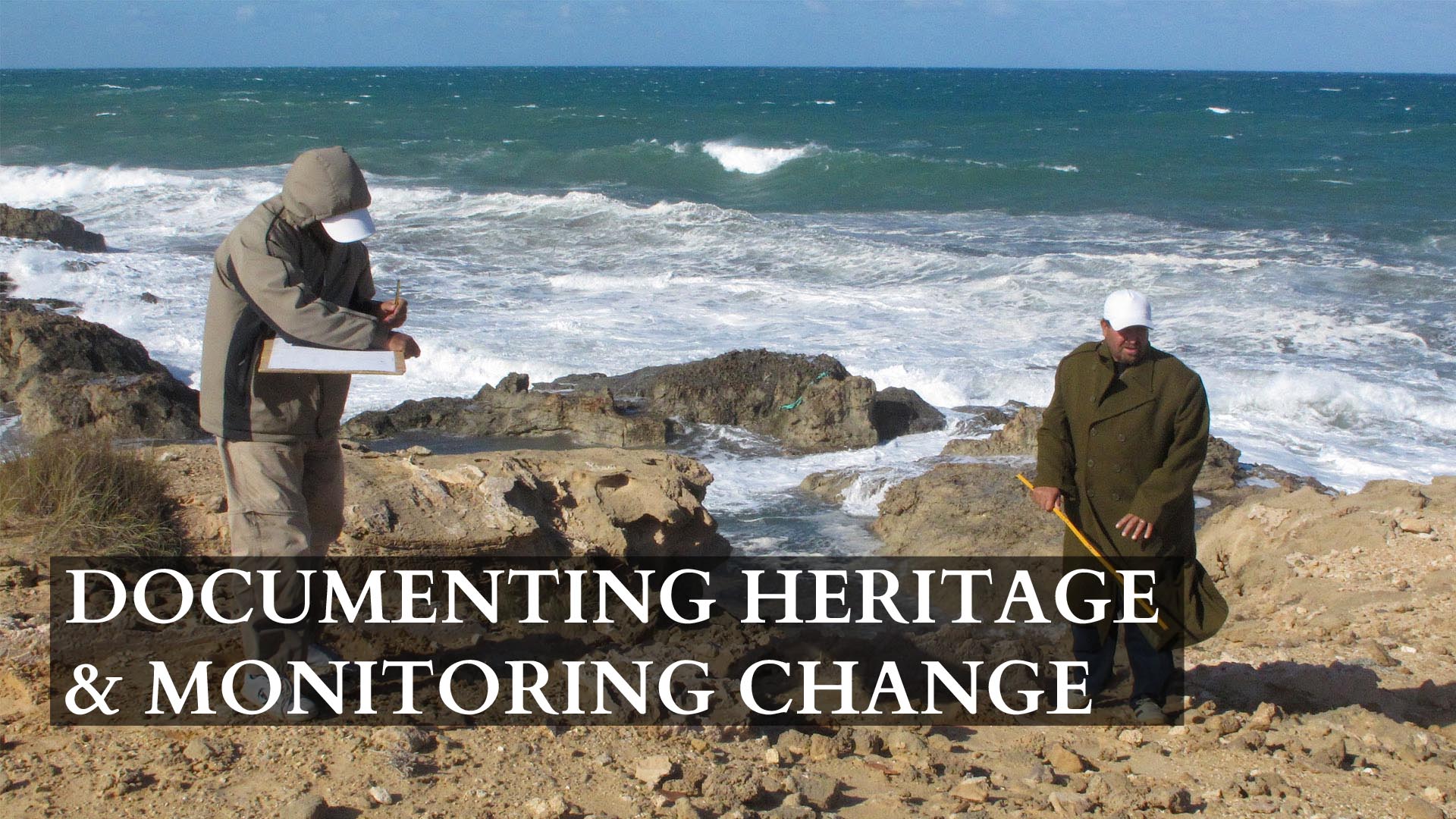
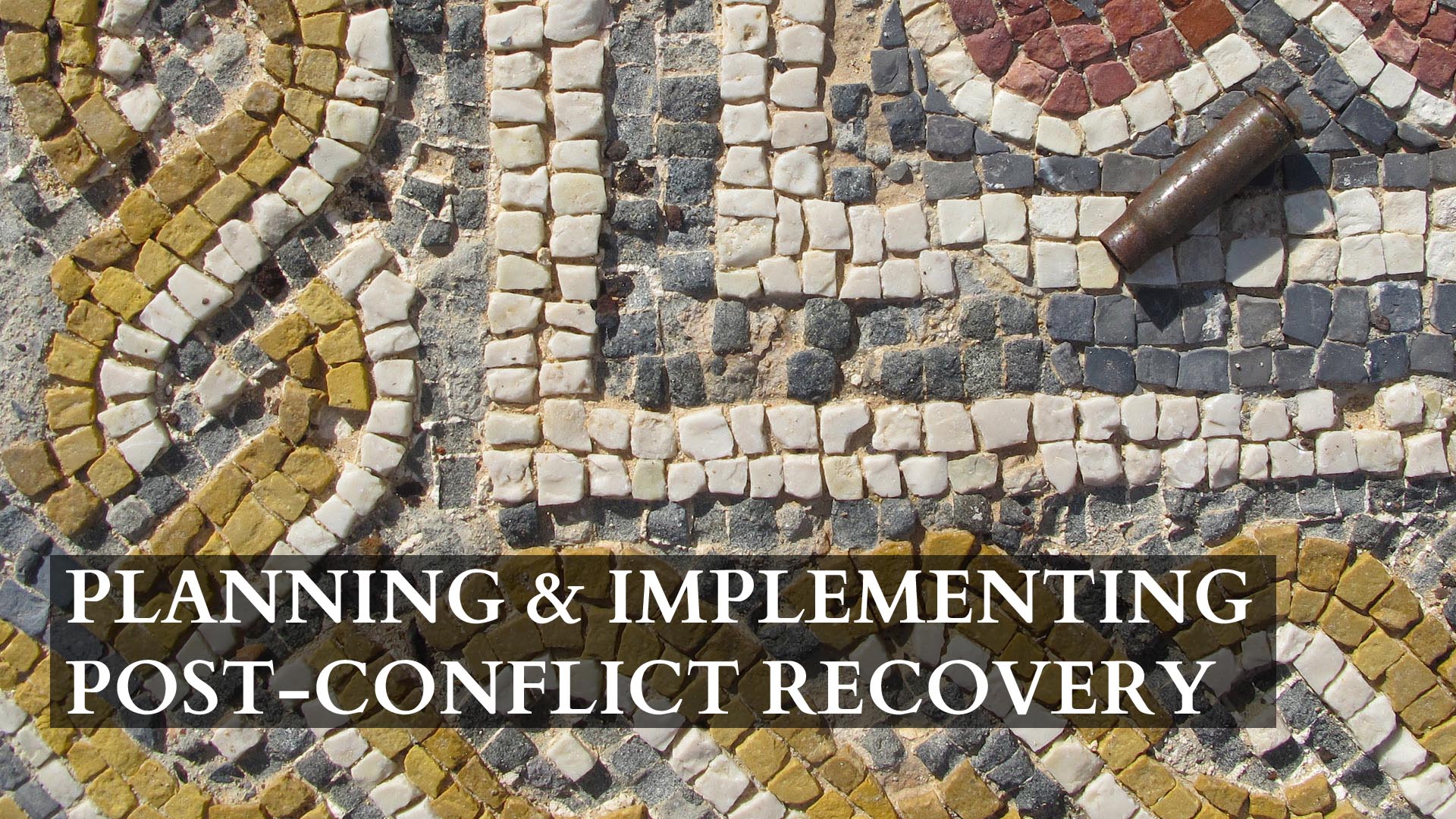
Initiated in 2014, ASOR’s Cultural Heritage Initiatives (ASOR CHI) is an international collaboration of scholars and institutions who work under the auspices of ASOR. Through two cooperative agreements with the U.S. Department of State and with the generous support of non-federal organizations and donors (especially the Getty Conservation Institute, The Whiting Foundation, and the Kaplan Fund), ASOR CHI undertakes projects to document, protect, and preserve the cultural heritage of war-torn Syria, northern Iraq, and Libya. Hundreds of significant heritage sites have been damaged since fighting began in 2011. Although the destruction of cultural property represents only part of the humanitarian crisis, these harmful actions threaten our common world heritage and cultural diversity. We have an ethical obligation to respond, and our project is part of an international effort to work with Syrians, Iraqis, and Libyans (and other peoples) to protect their heritage and cultural identity.

About American Society of Overseas Research (ASOR)

ABOUT ASOR

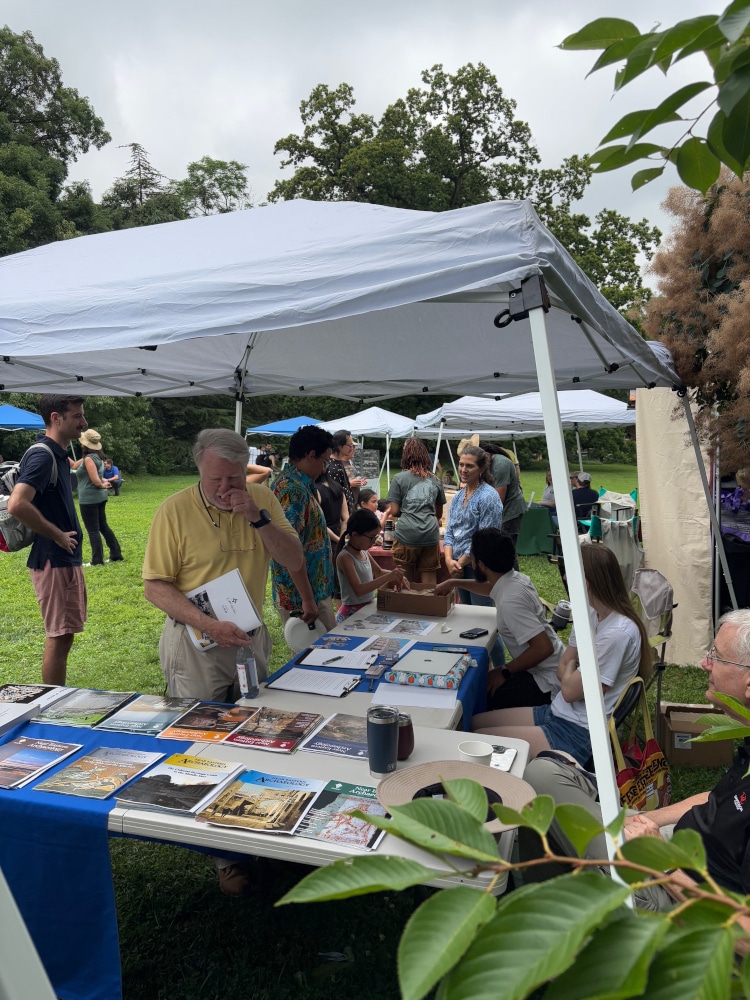
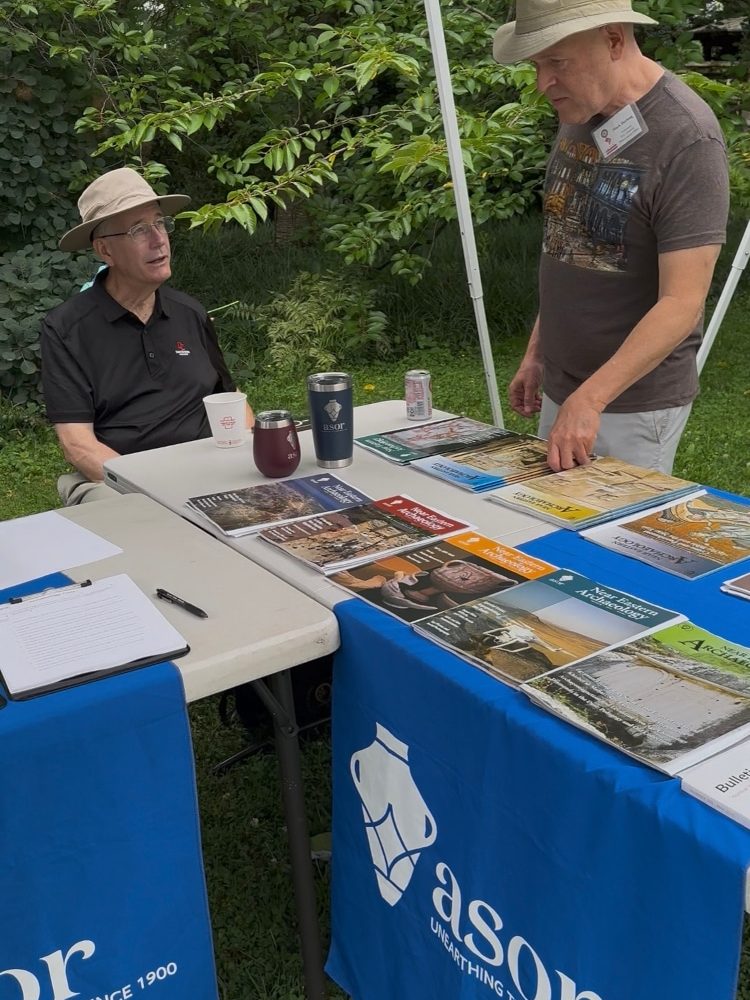
The American Society of Overseas Research (ASOR) is a non-profit 501(c)(3) organization whose mission is to initiate, encourage, and support research into, and public understanding of, the history and cultures of the Near East and wider Mediterranean world, from the earliest times. ASOR is apolitical and has no religious affiliation.

We were founded in 1900 by twenty-one institutions—including Harvard, Princeton, Yale, and Columbia. Over a century later, ASOR has approximately 53 consortium institutions, including universities, seminaries, museums, foundations, and libraries. In addition, we have more than 2,200 individual members and more than 40,000 Friends.

We remain true to our original mission – initiating, encouraging, and supporting research into the cultures of the Near East from the earliest times, and helping the public to understand the findings of that research, as outlined in our strategic plan. ASOR fosters original research, archaeological excavations, and explorations; encourages scholarship in the Near East’s basic languages, cultural histories, and traditions; builds support for Near Eastern studies; and advocates high academic standards. ASOR also offers educational opportunities in Near Eastern history and archaeology to students from all over the world, and through outreach activities to the public.

ASOR communicates news of the latest research findings in our publications, through lectures at the Annual Meeting, and our independent overseas institutes in Cyprus and Jerusalem facilitate research in the field by students and scholars. ASOR’s book series and journals, such as Near Eastern Archaeology and the Bulletin of ASOR, are intended for both a lay audience and specialist archaeologists, historians, and biblical scholars. ASOR’s Annual Meeting brings together scholars from around the world to present their latest findings and discuss their research. Fellowship programs are available from our overseas institutes to provide funds for work at these institutes as well as for Mesopotamian studies and student travel to the Annual Meeting.

FACTS & FIGURES

Name: American Society of Overseas Research (ASOR); formerly named “American Schools of Oriental Research”

Mission: ASOR’s mission is to initiate, encourage, and support research into, and public understanding of, the cultures and history of the Near East and the wider Mediterranean, from the earliest times.

Founded: 1900; incorporated in the District of Columbia in 1921

Members: approximately 2,200 individual members, 53 institutional members, 40,000 Friends, and 2 affiliated overseas research institutes

Publications: Four journals (Bulletin of ASOR, Journal of Cuneiform Studies, Near Eastern Archaeology, and Maarav), two e-newsletters (News@ASOR and The Ancient Near East Today), and four book series (ASOR Annual, Archaeological Report Series, Journal of Cuneiform Studies Supplement Series, and LCP Handbooks Series).

Annual Meeting: The conference has in-person and virtual components with approximately 1,200 attendees. The hybrid, in-person and virtual conference begins eight days (on a Wednesday) before American Thanksgiving. The in-person location varies annually.

Professional Personnel: ASOR has 8 full-time team and 3 part-time team members and 8 continuing contractors.

Donors: ASOR is supported by over 1,100 individuals who make annual charitable contributions to ASOR. Click here for our Fiscal Year 2026 Honor Roll of Donors. Click here for our Lifetime Honor Roll of Donors.

Volunteers: ASOR’s work is supported by more than 280 volunteers, some serving in multiple roles.

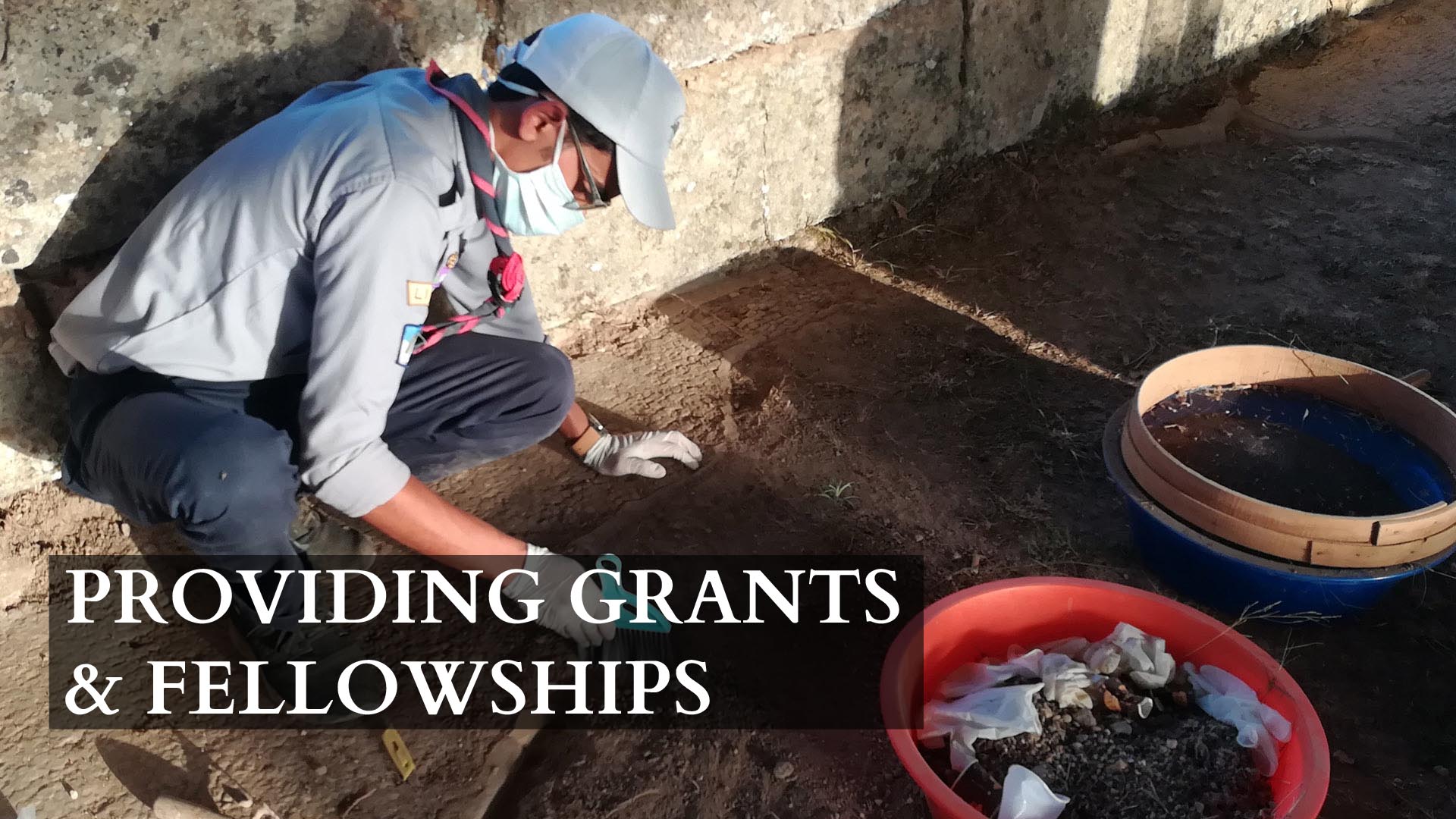
Scholarships, Fellowships, and Grants: ASOR plans to award $250,000 in scholarships, fellowships, and grants in 2026.

President: Jane DeRose Evans, Temple University

Chief Administrative Officer: Andrew G. Vaughn (Executive Director)

FY25 HONOR ROLL OF DONORS

FISCAL YEAR 2025 HONOR ROLL OF DONORS

Click here for a list of Fiscal Year 2025 Honorific and Memorial Gifts. If there are any errors with your name listed or you believe your name is missing from the list, please email info@asor.org.

Benefactor ($20,000 and up)

Anonymous
Arnold and Porter, LLC (in kind) ∞
Stevan B. Dana ∞
Sharon Herbert ‡

J. Crayton Pruitt Foundation
Eric and Carol Meyers ∞
Elmar and Darilee Sakala
Wayne R. Shepard ‡

Patron ($10,000 – $19,999)

Jane DeRose Evans ∞
Sheldon and Debbie Fox ∞
Gerda Henkel Foundation
Kiersten Neumann ◊

Lanier Theological Library ∞
Pittsburgh Theological Seminary
Joe D. Seger ∞
Abraham Sofaer and Marian Scheuer Sofaer ◊

Friend ($5,000 – $9,999)

Susan Ackerman ∞
Mitchell Allen and Ariadne Prater
Emily Miller Bonney ◊
Alex and Gretta Brooks
James Bucko ◊
Vera R. Campbell
Lawrence T. Geraty ∞

Ann-Marie Knoblauch ∞
B. W. Ruffner ∞
Ann V. Sahlman ◊
Ricardo A. St. Hilaire ◊
Stuart Swiny ◊
Andy Vaughn ∞

Sponsor ($1,000 – $4,999)

Lisa Marilyn Ackerman ◊
William S. Andreas ∞
Anonymous
Larry B. Bell
Jeffrey A. Blakely and Brauna Hartzell ∞
Frances Cahill ◊
Ted Dodd and Lynn Swartz Dodd ∞
Jennie Ebeling ◊
Steven E. Falconer and Patricia Fall ◊
Paul Gaylo ∞
Patty Gerstenblith and Samuel Gordon
Alison Acker Gruseke ◊
Timothy P. Harrison ∞
Michael G. Hasel ‡
Carol Landes ∞
Albert Leonard ◊

Alex and Bridget MacAllister ‡
Donald Martin
Vincent Mauer ‡
Jenna Morton ◊
Robert A. Mullins ∞
Linda Parks
Thomas R. Pickering ◊
William Raynolds ◊
Suzanne Richard ∞
Michael D. Ryan ◊
Karen S. Rubinson
H. Katherine Sheeler ∞
Joseph J. Weinstein ∞
Frederick Winter ◊
Keeley and J. Edward Wright
Jeanine Young-Mason ◊

Sustainer ($500 – $999)

Gary Arbino ∞
Kathryn Grossman and Tate Paulette ◊
Kate Birney
Elizabeth F. Carter
Megan Cifarelli
Douglas Clark ‡
Sonya and Richard Coffman ‡
Sarah Kielt Costello ◊
P. M. Michèle Daviau ◊
Emily Hammer
Julian M. Hirsch
David Ilan ∞
Charles Ellwood Jones ‡

James F. Joyner ‡
Morag M. Kersel and Yorke M. Rowan ◊
Oystein and Asta LaBianca ∞
Sandy Mermelstein ‡
Barbara Meyer ◊
Jack and Diane Sasson
Glenn M. Schwartz
Ann K. Stehney ◊
Diana Stein
Jeanne Marie Teutonico ◊
Jason Ur
Jane C. Waldbaum ∞
James L. Walker ∞

Supporter ($250 – $499)

Lamar Barden ∞
Joseph A. Bruder
Pearce Paul Creasman ◊
Helen Dixon ◊
Paul Fitzpatrick ∞
Paul V. M. Flesher ‡
David Fosse ◊
Kristine S. Garroway ◊
Seymour Gitin ∞
Richard Cartier Godfrey ‡
Christopher Hays
Moni Islam
Carroll Kobs ‡
Frank Maddox ◊
Maurice Margulies
Charles Marlin ‡
Steven and Karen Ostovich
Donald Polaski ◊

Jennifer Ramsay ‡
John Rinks
Jonathan Rosenbaum ‡
Jeremy B. Rutter ◊
Denise Schmandt-Besserat
Thomas Schneider ‡
Bettina Schwarz-Seibert
Nancy Serwint
Daniel E. Smith
John R. Spencer ‡
James Riley Strange ◊
Aldo Tamburrino ◊
Allison Karmel Thomason ◊
Orly Vaughn
Stefan Vranka
Rita Winston
World History by a Jew™

Contributor ($100 – $249)

Elie M. Abemayor
Ilana Abusch
Alan J. Ackerman
Susan J. Allen
Anonymous ‡
Anonymous
Vernon Appleby
Jacob Ashkenazi
Carolina A. Aznar
Jeanne Bailey
Randall C. Bailey ◊
Brenda Baker ‡
Katherine M. Barnash
Robert D. Bates
Josef Ben Levi
Patsy Bernhjelm
Selena Billington
Oded Borowski ∞
Roger Bove ◊
Margaret Brandt ◊
Aaron J. Brody ◊
Jeannine E. Bulot
Tanya Bulthuis
Wilfred F. Bunge ‡
Howard N. Bunte
Cynthia Ruth Burdge ◊
Aaron A. Burke
Jane Cahill West ∞
John Calderone
Christopher Carr ‡
Michal Cesana
Shlomo Cesana
Hanan Charaf ∞
Scott Chesworth ◊
Ken Claiborne ◊
W. Malcolm Clark ∞
Eric Cline ‡
Andrew Cohen
Kevin Cooney ◊
Alan M. Cooper
Jerrold Cooper
Randy Corbet ◊
Carol Corgan
Prentiss de Jesus
Diane L. Damos
John D. Darst ∞
Anthony Dellicarpini
Elif Denel ◊
Robert Deutsch
Paul F. Donnelly
Kevin Duffy
Carl S. Ehrlich
Geoff Emberling ‡
Eileen Engel
Raymond Ewing ∞
Clare Feinson
Cynthia S. Finlayson
Paul J. Fischer
Eli Fisher
Marjorie Fisher ‡
Debra Foran ◊
Brandy A. Forrest
LaMarrison Forte
Gregg E. Gardner
Steven Garfinkle ∞
Anna Glenn
Christopher Glenn
Maxine and Don Goldberg
Sheila Goldfarb
Angela Goodwin ‡
Linda Grable-Curtis
Joseph A. Greene
Peggy Greenwood ◊
Constance Groh
Carmillia L. Gulmez
Carl Guzzo ‡
Fawwaz Habbal
Amanda H. Haley
David Hamidovic
Frederick Hanselmann
James W. Hardin
John F. Harrell
James R. Hawthorne
Gary M. Hedrick
Jennifer Helbley
David Hendin ◊
Nicholas P. Herrmann
Ellen Herscher ◊
Richard S. Hess ◊
Jason Hoerler
Shirlee Hoffman ◊
Susan Tower Hollis ◊
Janet Horowitz
Fred L. Horton ◊
Peter Ihrig
Cayetana H. Johnson
John Kampen

Elton Kerr
Omar Khan
Stephen Kimpel ◊
Charles Knapp ◊
Elizabeth Knott
Edward Koskie ‡
Stephen Kraft
Peter Larson
Burton Lipshie
Kate Liszka
Robert J. Littman
Richard Lobban
Larry D. Loftis
Gloria London
Molly Lutz
Peter Machinist ◊
Jodi Magness
Christina Mahle ◊
Lisa Malovance
John Manchester
Sturt Manning
Dale W. Manor ∞
Jennifer Marks
Judy Massengill
Steve McClaren ◊
Daniel McClellan
Mark W. Meehl
Kaitlynn Mickus
William R. Millar
Abbas Mokhtarzadeh ◊
Barbara Moore
Robert Morse ◊
Rachel Nabulsi
Philip Nager
Tina Najbjerg
Beth Alpert Nakhai ∞
Orlyn Nelson ◊
Josie Newbold
Ross K. Nichols
David Norris ∞
Ted Okada
Marek Olszewski
Steven M. Ortiz
Kevin Perrotta
Stetson Pevear ◊
George A. Pierce Jr.
Mary Placke
Annabel Po
Barbara A. Porter ∞
Timothy F. Potts ◊
Arlene and Michael Press ◊
Barbara Rentenbach
Joseph Rivers
Mary Robinson-Mohr
Christopher A. Rollston
Bruce Romanic ◊
Anne E. Rutherford
Kathleen Santamaria
Richard Sarason ◊
Robert H. Saunders
Jennifer Schneider ◊
Mark Schuler
Ellen Louise Schwartz
David and Ruth Seigle ◊
Harriet Seiler ◊
Stephanie Selover
Rev. Carl D. Shankweiler ◊
Theresa C. Shaw
John P. Shearman
Alan Simmons ‡
Kathryn Simonsen ‡
Patrick S. Smith
Gary Smith ‡
Scott R. Starbuck
Ondrej Stehlik
Herbert Arthur Stetzenmeyer
John T. Strong
Janet Sullivan
Nancy Surdoval
James Theselius
Zachary Thomas
Jeffrey Thompson
Robert S. Troth
Bruno Van der Maat
Maria Vecchiotti
Mary-Ellen Vian
Matthew L. Vincent ◊
Stephen Von Wyrick
Carolyn Waldron ∞
Roxie Walker
Daniel A. Warner
Debra A. Webber
Wilma Wetterstrom
Mary White
Bruce B. Williams
Jonathan Wolf-Phillips
Doris J. Wossum Fisher
Randall W. Younker ◊

Donor ($25 – $99)

Atara Aharonovitz
Randy Akers ∞
Yaroub Al Obaidi
Barbara Anglisz
Anonymous
Anonymous
Anonymous
Anonymous
Michal Artzy
Hasan Ashkanani
Debra Band
Daniel E. Bierman Jr.
Thomas R. Blanton IV
Benita Blessing
Ryan A. Boehm
Karen A. Borstad ◊
Donald C. Brunell
Michele R. Buzon
Raymond Calvert
Mark A. Chancey ‡
Davida Charney
Emmert Clevenstine
Kim L. Collet
Stephen L. Cook ◊
Lindy Crewe
Loren D. Crow
Heather Crowley
Adamou Danladi
Zachary C. Dunseth
A. A. Eger
William W. Ellinger III
Patricia Evans
Brian Facemire
Valerie Fargo
Glynnis Fawkes
Gerald Finkielsztejn
Kevin D. Fisher ◊
Kathleen M. Forste
Brandon Foster
Norma J. Franklin
Marilyn McKenna Frassinelli
Elise A. Friedland
Deirdre Fulton ◊
Stephen Garfinkel
Steven Gilbert
Barry M. Gittlen
Kathryn Gleason
Gregory L. Glover
Matt P. Graham
Samuel Greengus
Jonathan Greer ◊
Puneet Gupta
Lowell K. Handy
Craig A. Harvey

Holly Hearon
Sandra L. Hensley
Mara Horowitz ◊
Beate Hunton
Christopher John Jackson
Mark Janzen
Jaafar Jotheri
Douglas M. Judisch
Lisa Kahn ◊
Eric C. Kansa
Jill C. Katz
Paula R. Katz
Sara Kipfer
Charles C. Kolb
Steve Kover ◊
Marjan Kretz Sr.
Peter Lacovara
Linda Landau
Justin Elan Lev-Tov
Carolina Lopez-Ruiz
Russ Madsen
Robert V. Matteo ◊
Stanley Maxwell ◊
Kevin McGeough
Ted L. Meyerson
M. Willis Monroe
Jim Morris
Margaret J. O’Hea
Takayoshi Oshima
John H. Ott
Nassos Papalexandrou
James O. Parker
Amanda Podany
Marlon Portes
Jennie Preuss
Lucas S. Proctor
Tine Rassalle
M. Barbara Reeves ‡
Sarah Roberts
Monica Rollins
Margaret C. Root
Jennifer C. Ross
Katharine D. Sakenfeld
Audrey Shaffer ∞
Isabel Srour
John K. Stake
Sharon Steadman ◊
Mikaela Stephens
Sheila Tanenbaum
Herbert Unger
Eric Welch ‡
Gokce Yazicioglu

Ally ($5 – $24)

Federico Abbatiello
Mark Abbe
Amani Abu Hamid
Khaled Abu Jayyab
Anna Accettola
Betty Adams ◊
Kimiko J. Adler
Silvia Alaura
Susan E. Alcock
Silvia N. Alonso
Zaid Alrawi
Marta Ameri
Koushan Amir-Khosravi
Björn Anderson
Erin Anderson
Talah Anderson
Traci L. Andrews
Noel Anema
Anonymous
Anonymous
Anonymous
Anonymous
Anonymous
Anonymous
Anonymous
Anonymous
Stefano Aprà
Benjamin Arbuckle
Elizabeth R. Arnold
Joanne Artz
Darren Ashby
Carrie Atkins
Faires L. Austin
Anna Bach Gomez
Diana Backus
Heather D. Baker
Johnny S. Baldi
Shay Bar
Belinda Barrington
Amy E. Barron
Dennis C. Baugh
Eleanor Beach
Howell Bear
Erin Beatty
Mark S. Becker
William R. Belcher
Thomas Bender
Jacob Bennett
Kim Benzel
Anna Berlekamp
Ya’akov Billig
Gary Bingham
Nicolette Birkhold
Judith Bjorkman
Sandra Blakely
Katherine E. Blanchard
Jody Bloom
Rick Boe
Ralph Bohstedt
Hal Bonnette
David D. Boyer
Fredric R. Brandfon
Joan R. Branham
Scott Branting
Eliot Braun
Katie Breyer
Matthew T. Bronson
Trisha Broy
Larry D. Bruce
Hendrik J. Bruins
Brendan Burke
Katherine S. Burke
Andrew R. Burlingame
David Clint Burnett
Joel S. Burnett
Jocelyn Burney
Bryan Burns
Joel P. Butler
Phillip Caddell
Rose A. Campbell
Emily Cancel
Danielle Candelora
Deborah Cantrell
Annemarie Carr
Sophie Cassarino
Marica Cassis
Antonietta Catanzariti
David W. Chapman
Charles Cisneros
Brigid A. Clark
Katherine Clayton
Rangar H. Cline
Samuel Clough
Sara E. Cole
Timothy Cole
Rachel Cole-Turner
Brian E. Colless
William F. Collins
Katherine Consola
Nicole Constantine
Kathlyn M. Cooney
Lisa Cooper
Nancy J. Corbin
John Cotter
Jerome F. Creach
Petra M. Creamer
Jay Crisostomo
Ronaldo J. Da Silva
Jacob C. Damm
Andrew J. Danielson
Tashia Dare
Audrey Davis
Brent Davis
Suzanne L. Davis
Celine Debourse
Katarzyna de Lellis-Danys
Hayden Denby
Kay Denmark
Polte De Weirdt
Robert A. Di Vito
Lillian Doherty
Rita Dolce
Sean Dougherty
Claude Doumet-Serhal
Erkan Dündar
Reuben Elisha Dunya
Pinar Durgun
Amy Eagleburger
Cheryl L. Eaton
Susanne Ebbinghaus
Carl S. Ebert
Avner Ecker
Terry W. Eddinger
Gazmend Elezi
Stefanie P. Elkins
Celesta Ellis
John L. Ellison
Adi Erlich
Ezgi Erol
Esther Eshel
Lara Fabian
Andrew S. Fairbairn
Alia S. Fares
Ingrid Faro
Nima Farzaneh
Peter Feinman
Marian Feldman
Heidi D. Fessler
Philip Finnegan
Peter M. Fischer
Kristen Flake
Anne Flannery
Grant Frame
Jamie Fraser
Michael Freikman
Michele S. Freyhauf
Stephen M. Fugitt
Pamela Gaber
Daniela Galazzo
Alan Galloway
Amy R. Gansell
Jonathan S. Gardner
Barbara H. Geller
Denis Genequand
Monica Genuardi
Margaret Geoga
Yvonne Gerber
Kevin Gibson
Susan Gidley
Maribelisa Gillespie
Samuel G. Gillett
Grant Ginson
Federico Giusfredi
Garret Gjesdal
Ana González San Martin
Fiammetta Gori
Linda R. Gosner
Reese Gover
Mark K. Gradoni
Sarah B. Graff
James W. Grant
Michael A. Grisanti
Jehon Grist
William Griswold
Laurel D. Hackley
Alexa Hailman
Erin Hall
Rachel S. Hallote
Mark Hamilton
Roger Handyside
Annette Hansen
Sheldon J. Harmacy
Omur Harmansah
Shawn Harriman
Sarah E. Harrington
Eric J. Harvey
Hidemasa Hashimoto
Ann Haverkost
Jacqueline Haynes
Geoffrey M. Hedges-Knyrim
Michelle Heeman
Yağmur Heffron
Alan Hester
Maura K. Heyn
Nancy Highcock
Chad Hill
Jake Hill
Nicolle Hirschfeld
Louise A. Hitchcock
John Hobbins
Yael Hochma
Liam C. Hodges
Kenneth Hoglund
Ellen Porter Honnet
Frank D. Houghton Jr.
Matthew J. Howland
Nicholas Hudson
Evertt W. Huffard
Linda Hulin
Tasha Hunter
Kenneth D. Hutchens
Marco Iamoni
David F. Ingrassia
Tenka Ismail
Eli D. Itkin
Christopher Jenkins
Robin Jenkins
Steven R. Johnson
Christine L. Johnston
Joshua L. Jones
Robert Kabakow
Kyra Kaercher
Debra Karbashewski
Lisa Karnan
Trudy S. Kawami
Catherine Kearns
George Kemp
Jonathan M. Kenoyer
Faizan A. Khan
Gwyneth E. Kingham
Brian Kinzel
Stanley G. Klassen
Sigal Klipstein
Julie Knoepfler
Ido Koch
Paulina Komar

Gina Konstantopoulos
Paul Kosmin
Duane E. Kratzer
Bruce Krueger
Rachel E. Kulick
Luca Lai
Mark Lamourine
Thomas Landvatter
Michael F. Lane
Stephanie M. Langin-Hooper
Douglas LaRocca
Agnete W. Lassen
Hannah Lau
Joseph I. Lauer
Elise J. Laugier
Jacob Lauinger
Sean Leatherbury
Rebecca Leavell-Kizzia
Robyn Le Blanc
Joel M. LeMon
Dominik Lengyel
Mahri S. Leonard-Fleckman
Jeffrey D. Lerner
William Letten
Aaron Levin
Mary Lijnzaad
Rachel Lindemann
Harshita Loganathan
A. Nicole Lombard
Brita Lorentzen
Edward M. Luby
John Lund
Ronit Lupu
Reginald Mabry
Phillip G. Macumber
Sarah Malena
Tzveta Manolova
Peter D. Manuelian
Babette S. Margolies ◊
Becky Martin
Uros Matic
Daniel L. Mattson
Christopher Mavromatis
Rudi H. Mayr
Laura Mazow
Lynley J. McAlpine
Andrew McCarthy
Lauren McCormick
Richard J. McCutcheon II
Russell K. McDougall
Neville McFerrin
Augusta McMahon
Gregory McMahon
David Meiggs
Joseph Meuse
Patrick M. Michel
Robert Middeke-Conlin
Adam E. Miglio
Edward J. Mills III
Henry D. Mills
Leah Minc
Andrew Moelis ◊
Anawar M. Mohamed
Phoebe Mock
Lauren Monroe
R. Scott Moore
Terry Moore
Kathryn R. Morgan
Harrison Morin
Morgan Moroney
Ellen Morris
Laura Motta
James Muhly
Brian Muhs
David N. Mulder
Claire Mummert
Stefan B. Münger
Liat Naeh
Yasunori Nakaoka
Sadrack Nelson
Roey Nickelsberg
Kathleen Nicoll
Sharon Nielsen
Erika M. Niemann ◊
Jessica Nitschke
Emilie Nordhues
Brooke E. Norton
Maureen O’Connor
Tiffany R. Okaluk
Kyle G. Olson
Carol Ormsbee
James F. Osborne
Marta E. Ostovich
Morganne Ottobre
Rylie Owen
Leann C. Pace
Rocco Palermo
Wenrui Pan
Vikentiy Parshuto
Steven Patterson
Susanne A. Paulus
Laurie E. Pearce
Dee F. Pendley III ◊
Krystal V. Pierce
Gustav Piir
Miya Pletsas
Beate Pongratz-Leisten
Benjamin Porter
Kersti Preger
Maryan Ragheb
Kenneth Ragland
Yelena Rakic
Marco Ramazzotti
Ilona Rashkow
Alexandra Ratzlaff
Dvir Raviv
Charles Ray
Paul J. Ray
Herve Reculeau
Julia Rhyder
John W. Rice
Candace Richards
Joseph Rife
Ernesto Rivera
Carolyn D. Rivers
Raquel Robbins
Alistair Robertson
Jessica Robkin
Darrell J. Rohl
Charlotte Rose
Steven A. Rosen
Ester L. Rosendo
Pavla Rosenstein
Jon Ross
Bruce Routledge
Mark Rufo
Nerissa Russell
David L. Saffan
Mike Sampson
Debra G. Sandhaus
Myli Sangria
Foy Scalf
Catherine Scheibner
David Schloen
Jeffrey Schmitz
Sarah Schrader
Eileen Schuller
Samuel Schuster
Mark S. Schwartz
Catherine B. Scott
Sarah J. Scott
Melina Seabrook
Kristen Seaman
Peta Seaton
Cynthia M. Shafer-Elliott
Yiftah Shalev
Golan Shalvi
Hadass R. Shambadal
Frank Shaw
Nathanael Shelley
Chris Sherwood
Siobhan Shinn
JJ Shirley
David E. Shrader
Kersi Shroff
Gilad Shtienberg
Luiza Osorio G. Silva
Jane C. Skinner
Alexander Smith
Andrew M. Smith
Brian Smith
Emily K. Smith
Ira T. Smith
Stuart T. Smith
Betty Snow
Anthony P. SooHoo
Karin Sowada
Rachael T. Sparks
Matthew Spigelman
Jennifer A. Stabler
Ian Stern
Philip Stoltzfus
Diane Strathy
José Suárez-Padilla
Matthew J. Suriano
Laura A. Swantek
Kaja Tally-Schumacher
Ron E. Tappy
Avary R. Taylor
Barry Taylor
Ellard Taylor
Arturo Terrazas
John T. Thames Jr.
Gretchen Theobald
Jessica Tomkins
Carole Towriss
Julia Troche
Gordon C. Tucker Jr.
Zeynep Türker
Aayush Umesh
Agnese Vacca
Armando Vargas Jr.
Nicolaas Veldhuis
David H. Vila
Christine Visminas
Veli Voipio
Konrad Volk
Eva M. von Dassow
Eric J. Wagner
Efraim Wallach
Carl R. Walsh
Joshua T. Walton
Ziting Wang
Melanie Wasmuth
Christopher Webbe ◊
James Weinstein
Lynn Welton
Conor Whately
Frank Wheeler
Martin White
John Whitehouse
Samuel Whittaker
Malcolm H. Wiener
Rebecca S. Williams
Jacquelyn Williamson
Emily S. Wilson
Victoria A. Wilson
Aren Wilson-Wright
Dylan Winchell
Jonathan Winnerman
Lucas Wirick
Virginia M. Withers
Valerie Wolfkamp
Teagan Wolter
John Work
Judith Wouk
Ziqing Xu
Tugce Yalcin
Masatoshi Yamafuji
Colin Yapp
Joseph Yellin
K. Aslihan Yener
Michael S. Zimmerman ◊
Andrew Zulker
Kathy Zurek-Doule
Andrea M. Zurek-Ost

ASOR is grateful to our generous donors and has made every effort to ensure accuracy in recognizing them. Please contact us at info@asor.org if we have made an error in acknowledging you as a donor.


* = Deceased
◊ = 5–9 years of consecutive giving
‡ = 10–14 years of consecutive giving
∞ = 15+ years of consecutive giving


2025 Trustee Nominations Committee

[vc_row fullwidth=”true” css=”.vc_custom_1490224714943{padding-top: 0px !important;padding-right: 0px !important;padding-bottom: 0px !important;padding-left: 0px !important;}”][vc_column][vc_single_image image=”29771″ img_size=”full”][/vc_column][/vc_row][vc_row][vc_column][vc_column_text][/vc_column_text][/vc_column][/vc_row][vc_row fullwidth=”true” css=”.vc_custom_1490225468623{padding-top: 0px !important;padding-right: 0px !important;padding-bottom: 0px !important;padding-left: 0px !important;}”][vc_column width=”1/12″ css=”.vc_custom_1490225195470{margin-right: 10px !important;}” offset=”vc_hidden-sm vc_hidden-xs”][vc_column_text]

  SHARE

[/vc_column_text][mk_image src=”http://www.asortest.org/wp-content/uploads/2017/01/social-fb-icon4.jpg” image_width=”42″ image_height=”42″ hover=”false” custom_url=”https://www.facebook.com/ASOResearch/” margin_bottom=”0″][mk_image src=”http://www.asortest.org/wp-content/uploads/2017/01/social-tw-icon4.jpg” image_width=”42″ image_height=”42″ hover=”false” custom_url=”https://twitter.com/ASOResearch?ref_src=twsrc%5Egoogle%7Ctwcamp%5Eserp%7Ctwgr%5Eauthor” margin_bottom=”0″][mk_image src=”http://www.asortest.org/wp-content/uploads/2017/01/social-in-icon4.jpg” image_width=”42″ image_height=”42″ hover=”false” custom_url=”https://www.linkedin.com/company/american-schools-of-oriental-research” margin_bottom=”0″][mk_image src=”http://www.asortest.org/wp-content/uploads/2017/01/social-ml-icon_7.jpg” image_width=”42″ image_height=”42″ hover=”false” custom_url=”mailto:info@asor.org” margin_bottom=”0″][mk_image src=”http://www.asortest.org/wp-content/uploads/2017/01/blog-icon3.jpg” image_width=”42″ image_height=”42″ hover=”false” custom_url=”http://asor.org/blog” margin_bottom=”0″][/vc_column][vc_column border_color=”rgba(255,255,255,0.01)” width=”1/6″ css=”.vc_custom_1490365673198{margin-right: 20px !important;border-left-width: 2px !important;padding-right: 20px !important;padding-left: 20px !important;border-left-color: #99422f !important;}” el_class=”sticky-sidenav”][mk_divider divider_color=”rgba(255,255,255,0.01)” thickness=”1″ margin_top=”3″ margin_bottom=”3″][vc_widget_sidebar sidebar_id=”ca-sidebar-37292″ el_class=”.widget { overflow: hidden; margin-bottom: 0; }”][/vc_column][vc_column border_color=”rgba(170,170,170,0.01)” width=”1/2″ css=”.vc_custom_1490225606852{margin-right: 10px !important;margin-bottom: 30px !important;border-right-width: 2px !important;border-bottom-width: 2px !important;padding-top: 30px !important;padding-right: 30px !important;padding-left: 20px !important;background-color: #ffffff !important;border-right-color: rgba(227,228,228,0.75) !important;border-bottom-color: rgba(227,228,228,0.75) !important;}”][vc_column_text responsive_align=”left”]

2025 TRUSTEE NOMINATIONS COMMITTEE

Archived webpage for the 2025 Trustee Nominations Committee. This page has been replaced.
The Trustee Nominations Committee is responsible for developing a slate of candidates for the annual trustee election and for presenting these candidates to the electorate. Typically, this slate consists of candidates for four positions: two individual trustees (candidates who are either academic or contributing members of ASOR) and two institutional trustees (candidates who represent organizations that are ASOR institutional members).

  • Kathryn Grossman, chair
  • Theodore Burgh
  • Helen Dixon
  • Jason Ur
  • Sharon Herbert (ex officio)
  • Sheldon Fox (ex officio)

[/vc_column_text][mk_divider][vc_column_text]

Past Trustee Nominations Committee Members

[/vc_column_text][/vc_column][vc_column border_color=”rgba(170,170,170,0.01)” width=”1/6″ css=”.vc_custom_1490571214409{margin-right: 10px !important;margin-bottom: 30px !important;border-right-width: 2px !important;border-bottom-width: 2px !important;padding-top: 30px !important;padding-right: 20px !important;padding-left: 20px !important;background-color: #ffffff !important;border-right-color: rgba(227,228,228,0.75) !important;border-bottom-color: rgba(227,228,228,0.75) !important;}”][vc_wp_posts title=”BROWSE THE NEWS ARCHIVE” number=”4″][mk_custom_sidebar sidebar=”ca-sidebar-99363″][/vc_column][/vc_row][vc_row][vc_column][vc_column_text]

[/vc_column_text][/vc_column][/vc_row]

Table of Contents for BASOR 393 (May 2025)

Table of Contents for Bulletin of ASOR 393 (May 2025)

You can receive BASOR(and other ASOR publications) through an ASOR Membership.
Please e-mail the Membership office if you have any questions.
BASOR 393 article 1 bannerPp. 1-22: “Nabatean Tent Sites on the Ruhot Plain, Central Negev, and Nomadic Visibility,” by Maayan Margulis and Steven A Rosen

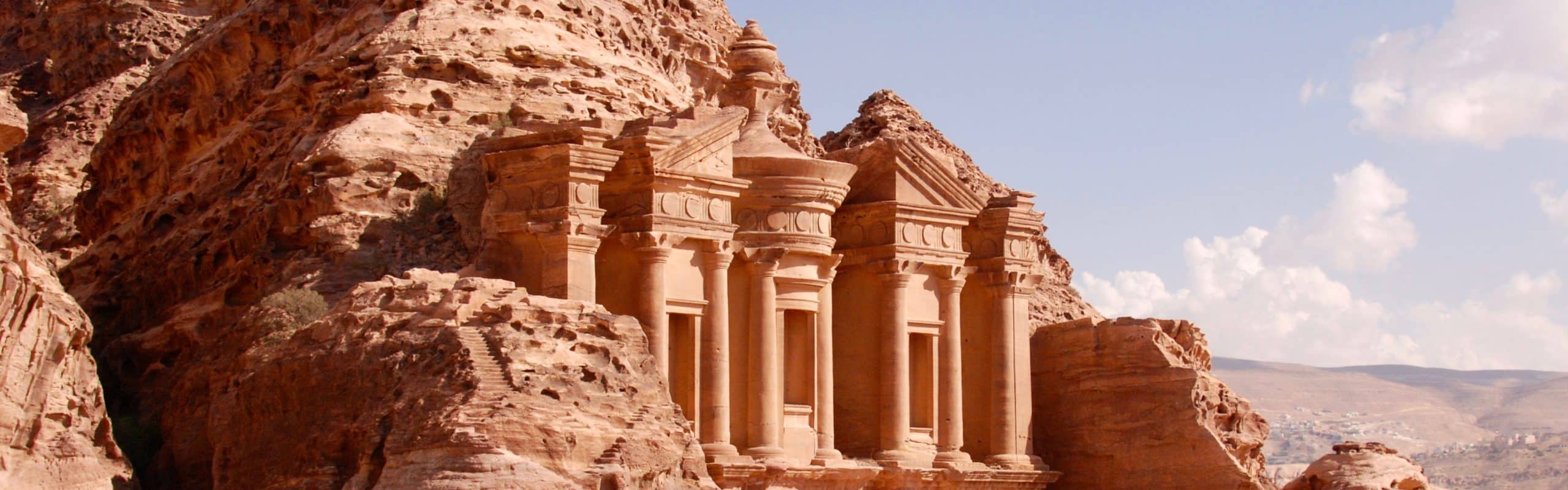
Nabatean campsites, reflecting the desert nomadic pastoral component of Nabatean society, constitute part of the larger and better-known Nabatean system of caravan routes and associated sites, in addition to village and urban centers dating between the late 4th century b.c.e. and the early 3rd century c.e. Campsites have rarely been explored in depth, although numerous small Nabatean camps and campsites have been registered in many surveys in the Negev. Four such sites in the Ruhot Plain, north of the Makhtesh Ramon, are detailed here. Architectural, geographic, and ceramic analyses show that these sites contrast with those associated with the classic Nabatean Incense Road, and for that matter, sedentary Nabatean society. The sites can be compared to nomadic systems associated with earlier Timnian, and later Byzantine and Early Islamic desert pastoral systems, as well as modern desert societies. Together, the materials offer a perspective on a little explored aspect of Nabatean society, the pastoral nomadic component, and an example of the archaeology of pastoral camps, often claimed to be inaccessible to archaeological study.

ASOR Members with online access: log into ASOR’s Online Portal here. Once logged in, click the JOURNALS tab in the top navigation bar. Tutorials for how to log in to the Online Portal as well as how to navigate to the Portal Journals page can be found here.
BASOR 393 article 2 bannerPp. 23-43: “Olive Oil Production in the North-East Temple of Canaanite Lachish,” by Itamar Weissbein and Yosef Garfinkel

This article presents the results of the 2023 excavation at Tel Lachish, which re-examined Installation BB1132, uncovered in the central hall of a Late Bronze III structure dubbed the North-East Temple. As a result of the recent excavation, the installation was identified as an olive oil press. The article discusses the significance of olive oil production in Late Bronze Age Lachish and the possible role that its production played in the cultic activity conducted in the structure.

ASOR Members with online access: log into ASOR’s Online Portal here. Once logged in, click the JOURNALS tab in the top navigation bar. Tutorials for how to log in to the Online Portal as well as how to navigate to the Portal Journals page can be found here.
BASOR 393 article 3 bannerPp. 45-55: “Qaṭrāyīṯ and the Linguistic History of Ancient East Arabia,” by Ahmad Al-Jallad

Qaṭrāyīṯ is a Syriac term that refers to the vernacular of east Arabia in the Early Islamic period. This linguistic variety is known from a small collection of lexical glosses in Syriac sources. Recently, Mario Kozah (2021, 2022) collected and examined about 40 Qaṭrāyīṯ lexical items, based on which he declared Qaṭrāyīṯ to be a dialect of Arabic. The purpose of this study is to re-assess the evidence, using a sounder linguistic methodology, to better determine the etymological origin of the Qaṭrāyīṯ vocabulary and, as much as possible, its phylogenetic position in Semitic. The results of this study increase the resolution of our image of east Arabia’s early linguistic history.

ASOR Members with online access: log into ASOR’s Online Portal here. Once logged in, click the JOURNALS tab in the top navigation bar. Tutorials for how to log in to the Online Portal as well as how to navigate to the Portal Journals page can be found here.
BASOR 393 article 4 bannerPp. 57-78: “Reflections on the Circulation of Extraordinary Items in Early Chalcolithic Southwest Asia: Sourcing the Obsidian Mirror and Giant Blade Core of Kabri (Israel),” by Ron Shimelmitz, Tristan Carter, Branden Cesare Rizzuto, Rose Moir, Sariel Shalev, and Danny Rosenberg

The 6th-millennium B.C. obsidian mirror and giant blade core from Kabri, northern Israel, have long been considered epitomes of Southwest Asian Early Chalcolithic technical and artistic virtuosity. Nevertheless, even almost 70 years after their discovery, they are yet to be integrated into the growing body of research on obsidian circulation from Anatolian sources to prehistoric communities of the southern Levant. This paper presents for the first time the results of a provenience study employing handheld X-ray fluorescence spectrometry (hhXRF), showing that the obsidian used to fashion the mirror derives from East Göllü Dağ, central Anatolia, while the raw material used to make the giant blade core originates from the Bingöl B source in eastern Anatolia. Drawing on these results, it is suggested that the research of the obsidian trade and Early Chalcolithic social networks implicated in it can benefit from a more multifaceted distinction between sources, technologies, and end-products. Situating this work within the recent turn to more holistic characterization studies, alongside employing the theoretical lens of Joan Gero (1989), the authors argue that the mirror and blade core represent “extraordinary objects,” well-suited for the mediation of social relations in the context of emergent political and economic complexity.

ASOR Members with online access: log into ASOR’s Online Portal here. Once logged in, click the JOURNALS tab in the top navigation bar. Tutorials for how to log in to the Online Portal as well as how to navigate to the Portal Journals page can be found here.
BASOR 393 article 5 bannerPp. 79-97: “The Vanished Fire Temple of Sarab-e Murt: A Tentative Interpretation of the Archaeological Evidence,” by Yousef Moradi

This paper presents the results of archaeological excavations at the southwestern site of Sarab-e Murt in western Iran. The investigations, conducted in 2008, revealed intriguing remnants of a significant sacred building, now obliterated due to the construction of a dam. All that remains of this structure are a few fragmentary walls, portions of a plastered floor, two clay installations, and five gypsum stepped stands. The architectural remnants are positioned in two distinct sections. In Section B, the structures are too limited in scope to allow for a comprehensive understanding of its original layout. Conversely, Section A, despite the fragmentary nature of the material, offers a more promising avenue for interpretation. By drawing parallels with well-preserved Sasanian Chahar-Taqs documented in other locations, a tentative reconstruction of this section as a Chahar-Taq with a bay on each side becomes conceivable. These archaeological findings suggest the existence of a Sasanian fire temple, distinguished by its unique architectural design. This temple served as a revered place of worship for the local Zoroastrian community in the Gilan-e Gharb Plain during the 4th–5th centuries C.E., and possibly even slightly earlier.

ASOR Members with online access: log into ASOR’s Online Portal here. Once logged in, click the JOURNALS tab in the top navigation bar. Tutorials for how to log in to the Online Portal as well as how to navigate to the Portal Journals page can be found here.
BASOR 393 article 6 bannerPp. 99-153: “The Sacred Precinct of Tel Dan Revisited,” by Levana Tsfania-Zias

The sacred precinct or “High Place” of Tel Dan has been the subject of several studies since its excavation by Avraham Biran a half-century ago. The biblical account attributes its construction to Jeroboam I, at the northern border of his new Israelite kingdom. This account was taken at face value by Biran and by subsequent researchers. The stratified monumental features of the sacred precinct were attributed mainly to the 10th–8th centuries b.c.e. and its construction phases attributed to the more powerful, long-reigning Israelite kings mentioned in the biblical text—Jeroboam I, Ahab, and Jeroboam II. However, an analysis of the stratigraphy, architectural features, and the material culture of the Persian, Hellenistic, and Roman periods reveals that much of what was assigned to the Iron Age should be reassigned to those later periods. Much of the material culture of the Tel Dan sacred precinct has parallels in Phoenician material culture.

ASOR Members with online access: log into ASOR’s Online Portal here. Once logged in, click the JOURNALS tab in the top navigation bar. Tutorials for how to log in to the Online Portal as well as how to navigate to the Portal Journals page can be found here.
BASOR 393 article 7 bannerPp. 155-168: “Remarks on the Ugarit Diplomatic Relations with Ḫatti and Egypt in the Late 13th Century B.C.,” by Eduardo Torrecilla

This paper addresses the seemingly contradictory foreign policy of Ugarit in the late 13th century B.C., since one can find Ugarit kings’ declarations of vassalage to Egypt while apparently being Hittite subordinates. It is stressed that in an empire-vassal relationship, a powerful subordinate is aware of having a strong hand, albeit not the upper one. The subordinate needs to defend their own interests, even when the counterparts know that the hierarchy is ultimately to be respected. Still, Ugarit no doubt remained loyal to Ḫatti, which welcomed the excellent relations between the courts of Ugarit and Egypt. Thus, the Hittite reprimands found in the House of Urtēnu archive do not necessarily tell of the sovereign’s weakness, but merely of two parties bargaining or “haggling” in search of a deal that better suits and protects each other’s interests.

ASOR Members with online access: log into ASOR’s Online Portal here. Once logged in, click the JOURNALS tab in the top navigation bar. Tutorials for how to log in to the Online Portal as well as how to navigate to the Portal Journals page can be found here.

BASOR 393 article 8 bannerPp. 169-188: “An Intermediate Bronze Age Bead Assemblage from a Burial Cave at Givʿat Reḥelim (Tell es-Safa) in Northern Israel,” by Shlomit Bechar, Anastasia Shapiro, Yinon Shivtiel, and Uri Berger

Givʿat Reḥelim (Tell es-Safa) is located on the outskirts of Kibbutz Ayyelet HaShaḥar, in the southern part of the Hula Valley, in the northern part of modern-day Israel. About 50 caves were surveyed on the hill, including several intact burial caves dating to the Intermediate Bronze Age. A small excavation in one of the caves exposed a rich funerary assemblage, including dozens of beads made of carnelian, faience, red coral, and stone. Some of these materials are non-endemic to the southern Levant, and some of the beads were made using technologies that are foreign to the region; these facts indicate trade contacts with distant manufacturing centers. Determining their locations will shed more light on the complex international trade systems of the Intermediate Bronze Age (2500–2000 B.C.E.) in the Levant.

ASOR Members with online access: log into ASOR’s Online Portal here. Once logged in, click the JOURNALS tab in the top navigation bar. Tutorials for how to log in to the Online Portal as well as how to navigate to the Portal Journals page can be found here.

KOBOTOOLBOX | ASOR CHI TUTORIALS (FRENCH)

[vc_row fullwidth=”true” css=”.vc_custom_1490224714943{padding-top: 0px !important;padding-right: 0px !important;padding-bottom: 0px !important;padding-left: 0px !important;}”][vc_column][vc_single_image image=”70618″ img_size=”1920×600″ alignment=”center”][/vc_column][/vc_row][vc_row][vc_column][vc_column_text][/vc_column_text][/vc_column][/vc_row][vc_row fullwidth=”true” css=”.vc_custom_1490225468623{padding-top: 0px !important;padding-right: 0px !important;padding-bottom: 0px !important;padding-left: 0px !important;}”][vc_column width=”1/12″ css=”.vc_custom_1490225195470{margin-right: 10px !important;}” offset=”vc_hidden-sm vc_hidden-xs”][vc_column_text]

  SHARE

[/vc_column_text][mk_image src=”http://www.asortest.org/wp-content/uploads/2017/01/social-fb-icon4.jpg” image_width=”42″ image_height=”42″ hover=”false” custom_url=”https://www.facebook.com/ASOResearch/” margin_bottom=”0″][mk_image src=”http://www.asortest.org/wp-content/uploads/2017/01/social-tw-icon4.jpg” image_width=”42″ image_height=”42″ hover=”false” custom_url=”https://twitter.com/ASOResearch?ref_src=twsrc%5Egoogle%7Ctwcamp%5Eserp%7Ctwgr%5Eauthor” margin_bottom=”0″][mk_image src=”http://www.asortest.org/wp-content/uploads/2017/01/social-in-icon4.jpg” image_width=”42″ image_height=”42″ hover=”false” custom_url=”https://www.linkedin.com/company/american-schools-of-oriental-research” margin_bottom=”0″][mk_image src=”http://www.asortest.org/wp-content/uploads/2017/01/social-ml-icon_7.jpg” image_width=”42″ image_height=”42″ hover=”false” custom_url=”mailto:info@asor.org” margin_bottom=”0″][mk_image src=”http://www.asortest.org/wp-content/uploads/2017/01/blog-icon3.jpg” image_width=”42″ image_height=”42″ hover=”false” custom_url=”http://asor.org/blog” margin_bottom=”0″][/vc_column][vc_column border_color=”rgba(255,255,255,0.01)” width=”1/6″ css=”.vc_custom_1490365673198{margin-right: 20px !important;border-left-width: 2px !important;padding-right: 20px !important;padding-left: 20px !important;border-left-color: #99422f !important;}” el_class=”sticky-sidenav”][mk_divider divider_color=”rgba(255,255,255,0.01)” thickness=”1″ margin_top=”3″ margin_bottom=”3″][vc_widget_sidebar sidebar_id=”ca-sidebar-50561″][/vc_column][vc_column border_color=”rgba(170,170,170,0.01)” width=”8/12″ css=”.vc_custom_1490225606852{margin-right: 10px !important;margin-bottom: 30px !important;border-right-width: 2px !important;border-bottom-width: 2px !important;padding-top: 30px !important;padding-right: 30px !important;padding-left: 20px !important;background-color: #ffffff !important;border-right-color: rgba(227,228,228,0.75) !important;border-bottom-color: rgba(227,228,228,0.75) !important;}”][vc_row_inner][vc_column_inner css=”.vc_custom_1589904992427{margin-right: 10px !important;}”][vc_single_image image=”104436″ img_size=”250×134″ alignment=”center”][mk_padding_divider size=”20″][vc_wp_text]

TUTORIELS ASOR

POUR L’ENQUÊTE SUR LE PATRIMOINE CULTUREL

[/vc_wp_text][/vc_column_inner][/vc_row_inner][mk_divider thickness=”1″ margin_top=”10″][vc_wp_text]

KoboToolbox | QGIS | LibreCAD | Photogrammetry

[/vc_wp_text][mk_padding_divider size=”20″][vc_wp_text]ASOR et ses partenaires ont développé une série de tutoriels et de modules de formation visant à aider les spécialistes du patrimoine culturel à effectuer des enquêtes et des évaluations de l’état grâce à des outils et logiciels en accès libre / Open Source, notamment QGIS, KoboToolbox, LibreCAD et MetaShape.

Ces modules fournissent des tutoriels étape par étape sur la façon de télécharger, d’installer et d’utiliser efficacement des applications et des logiciels lors de la collecte, de l’analyse et de la sortie des données.[/vc_wp_text][vc_row_inner][vc_column_inner width=”1/2″][vc_wp_text]

View page in English

[/vc_wp_text][/vc_column_inner][vc_column_inner width=”1/2″][vc_wp_text]

مشاهدة الصفحة باللغة العربية

[/vc_wp_text][/vc_column_inner][/vc_row_inner][mk_divider thickness=”1″ margin_top=”10″][mk_padding_divider size=”20″][vc_wp_text]

DOCUMENTATION DU SITE

[/vc_wp_text][mk_divider divider_width=”one_third” thickness=”1″ margin_top=”10″][vc_single_image image=”81632″ img_size=”150×150″ alignment=”center”][mk_padding_divider size=”20″][vc_wp_text]

KoboToolbox & KoboCollect

KoBoToolbox est un logiciel gratuit et en accès libre / Open Source pour la localisation et la collecte de données descriptives. Les informations peuvent être collectées sur les sites du patrimoine via des tablettes et des téléphones portables à l’aide de l’application KoBoCollect ou via l’interface du navigateur Web, même lorsque ces appareils sont hors ligne. Les données descriptives et de localisation enregistrées sur le terrain peuvent ensuite être synchronisées avec le logiciel SIG une fois la connexion Internet rétablie. Site Web de KoboToolbox: https://www.kobotoolbox.org/.

[/vc_wp_text][mk_padding_divider size=”20″][mk_divider thickness=”1″ margin_top=”10″][mk_padding_divider size=”20″][vc_wp_text]

PORTAIL EN LIGNE D’ASOR

* IMPORTANT * Les utilisateurs souhaitant accéder à un tutoriel doivent créer un compte utilisateur sur le portail en ligne d’ASOR. Ce compte est gratuit. L’accès aux leçons n’est pas obligatoire.

Regardez cette vidéo pour savoir comment configurer gratuitement votre compte sur le portail.

Des informations complémentaires sur le portail ASOR peuvent être trouvées ici.[/vc_wp_text][mk_padding_divider size=”20″][mk_divider divider_width=”one_third” thickness=”1″ margin_top=”10″][mk_padding_divider size=”20″][vc_row_inner][vc_column_inner width=”1/4″][mk_padding_divider size=”20″][vc_wp_text]

01.01

[/vc_wp_text][/vc_column_inner][vc_column_inner width=”3/4″][vc_wp_text]

Création d’un compte utilisateur

Découvrez comment créer un nouveau compte utilisateur dans KoboToolbox.[/vc_wp_text][mk_button style=”outline” corner_style=”rounded” outline_skin=”#99422f” outline_hover_skin=”#ffffff” url=”https://chi-kobo-fr.events.asor.org/portals/0101CreatingAUserAccount” target=”_blank”]Voir la leçon[/mk_button][/vc_column_inner][/vc_row_inner][mk_divider divider_width=”one_half” thickness=”1″ margin_top=”10″][vc_row_inner][vc_column_inner width=”1/4″][mk_padding_divider size=”20″][vc_wp_text]

01.02

[/vc_wp_text][/vc_column_inner][vc_column_inner width=”3/4″][vc_wp_text]

Création d’un nouveau formulaire d’enquête

Créez votre premier formulaire d’enquête (projet) dans KoboToolbox. Cette leçon présente également le site web Kobo et certains paramètres généraux pour la prise en main.[/vc_wp_text][mk_button style=”outline” corner_style=”rounded” outline_skin=”#99422f” outline_hover_skin=”#ffffff” url=”https://chi-kobo-fr.events.asor.org/portals/0102CreatingANewSurveyProject” target=”_blank”]Voir la leçon[/mk_button][/vc_column_inner][/vc_row_inner][mk_divider divider_width=”one_half” thickness=”1″ margin_top=”10″][vc_row_inner][vc_column_inner width=”1/4″][mk_padding_divider size=”20″][vc_wp_text]

01.03

[/vc_wp_text][/vc_column_inner][vc_column_inner width=”3/4″][vc_wp_text]

Formulaire d’enquête | Types de questions (champs de base de données)

Comprendre comment fonctionnent les types de questions lors de l’utilisation du générateur de formulaires dans Kobo.[/vc_wp_text][mk_button style=”outline” corner_style=”rounded” outline_skin=”#99422f” outline_hover_skin=”#ffffff” url=”https://chi-kobo-fr.events.asor.org/portals/0103SurveyFormQuestionTypesDatabaseFields” target=”_blank”]Voir la leçon[/mk_button][/vc_column_inner][/vc_row_inner][mk_divider divider_width=”one_half” thickness=”1″ margin_top=”10″][vc_row_inner][vc_column_inner width=”1/4″][mk_padding_divider size=”20″][vc_wp_text]

01.04

[/vc_wp_text][/vc_column_inner][vc_column_inner width=”3/4″][vc_wp_text]

Formulaire d’enquête | Fonctionnalités avancées

Cette leçon est destinée aux utilisateurs expérimentés de Kobo. Apprenez à hiérarchiser vos questions de formulaire (champs de base de données) et à partager des projets avec d’autres utilisateurs Kobo.[/vc_wp_text][mk_button style=”outline” corner_style=”rounded” outline_skin=”#99422f” outline_hover_skin=”#ffffff” url=”https://chi-kobo-fr.events.asor.org/portals/0104SurveyFormAdvancedFeatures” target=”_blank”]Voir la leçon[/mk_button][/vc_column_inner][/vc_row_inner][mk_divider divider_width=”one_half” thickness=”1″ margin_top=”10″][vc_row_inner][vc_column_inner width=”1/4″][mk_padding_divider size=”20″][vc_wp_text]

01.05

[/vc_wp_text][/vc_column_inner][vc_column_inner width=”3/4″][vc_wp_text]

Déploiement d’une nouvelle enquête / projet

Pourquoi est-il important de déployer votre projet ? Découvrez comment déployer votre projet et pourquoi vous devez le faire à chaque fois que vous modifiez votre formulaire.[/vc_wp_text][mk_button style=”outline” corner_style=”rounded” outline_skin=”#99422f” outline_hover_skin=”#ffffff” url=”https://chi-kobo-fr.events.asor.org/portals/0105DeployingASurveyFormProject” target=”_blank”]Voir la leçon[/mk_button][/vc_column_inner][/vc_row_inner][mk_divider divider_width=”one_half” thickness=”1″ margin_top=”10″][vc_row_inner][vc_column_inner width=”1/4″][mk_padding_divider size=”20″][vc_wp_text]

01.06

[/vc_wp_text][/vc_column_inner][vc_column_inner width=”3/4″][vc_wp_text]

Collecte de données avec une connexion Internet

Cette leçon explique comment collecter des données via le site web Kobo une fois votre formulaire de projet finalisé. Les étapes de ce tutoriel fonctionnent avec une connexion internet. Cette méthodologie est compatible avec tous les appareils.[/vc_wp_text][mk_button style=”outline” corner_style=”rounded” outline_skin=”#99422f” outline_hover_skin=”#ffffff” url=”https://chi-kobo-fr.events.asor.org/portals/0106CollectingDataWithAnInternetConnection” target=”_blank”]Voir la leçon[/mk_button][/vc_column_inner][/vc_row_inner][mk_divider divider_width=”one_half” thickness=”1″ margin_top=”10″][vc_row_inner][vc_column_inner width=”1/4″][mk_padding_divider size=”20″][vc_wp_text]

01.07

[/vc_wp_text][/vc_column_inner][vc_column_inner width=”3/4″][vc_wp_text]

Modification des données collectées dans Kobo

Les utilisateurs peuvent modifier les données après les avoir collectées dans Kobo. Cette leçon explique comment modifier les données collectées.[/vc_wp_text][mk_button style=”outline” corner_style=”rounded” outline_skin=”#99422f” outline_hover_skin=”#ffffff” url=”https://chi-kobo-fr.events.asor.org/portals/0107EditingDataCollectedInKobo” target=”_blank”]Voir la leçon[/mk_button][/vc_column_inner][/vc_row_inner][mk_divider divider_width=”one_half” thickness=”1″ margin_top=”10″][vc_row_inner][vc_column_inner width=”1/4″][mk_padding_divider size=”20″][vc_wp_text]

01.08

[/vc_wp_text][/vc_column_inner][vc_column_inner width=”3/4″][vc_wp_text]

Téléchargement de l’application KoboCollect (appareils Android uniquement)

Les utilisateurs de Kobo peuvent collecter des données même sans connexion internet grâce à l’application KoboCollect. Cette application est téléchargeable sur n’importe quel appareil Android. Malheureusement, cette méthode ne fonctionne pas sur iPhone ou iPad.[/vc_wp_text][mk_button style=”outline” corner_style=”rounded” outline_skin=”#99422f” outline_hover_skin=”#ffffff” url=”https://chi-kobo-fr.events.asor.org/portals/0108DownloadingTheKobocollectAppAndroidDevicesOnly” target=”_blank”]Voir la leçon[/mk_button][/vc_column_inner][/vc_row_inner][mk_divider thickness=”1″ margin_top=”10″][vc_row_inner][vc_column_inner width=”1/4″][mk_padding_divider size=”20″][vc_wp_text]

01.09

[/vc_wp_text][/vc_column_inner][vc_column_inner width=”3/4″][vc_wp_text]

Collecter des données dans KoboCollect (sans connexion Internet)

Apprenez à collecter des données avec l’application KoboCollect sans connexion Internet. Cette leçon explique également comment envoyer les données stockées localement sur KoboCollect vers votre projet principal sur le site web de Kobo.[/vc_wp_text][mk_button style=”outline” corner_style=”rounded” outline_skin=”#99422f” outline_hover_skin=”#ffffff” url=”https://chi-kobo-fr.events.asor.org/portals/0109CollectingDataInKobocollectWithoutAnInternetConnection” target=”_blank”]Voir la leçon[/mk_button][/vc_column_inner][/vc_row_inner][mk_divider divider_width=”one_half” thickness=”1″ margin_top=”10″][vc_row_inner][vc_column_inner width=”1/4″][mk_padding_divider size=”20″][vc_wp_text]

01.10

[/vc_wp_text][/vc_column_inner][vc_column_inner width=”3/4″][vc_wp_text]

Exporter des données à partir d’un projet Kobo

Vous avez terminé votre collecte de données ? Ce tutoriel vous montrera comment exporter des données descriptives et des fichiers multimédias vers votre ordinateur local, votre base de données et même vers un SIG pour la cartographie.[/vc_wp_text][mk_button style=”outline” corner_style=”rounded” outline_skin=”#99422f” outline_hover_skin=”#ffffff” url=”https://chi-kobo-fr.events.asor.org/portals/0110ExportingDataFromAKoboProject” target=”_blank”]Voir la leçon[/mk_button][/vc_column_inner][/vc_row_inner][mk_padding_divider size=”20″][/vc_column][/vc_row][vc_row][vc_column][vc_column_text]

[/vc_column_text][/vc_column][/vc_row]
ASOR CHI دروس (All lessons)

[vc_row fullwidth=”true” css=”.vc_custom_1490224714943{padding-top: 0px !important;padding-right: 0px !important;padding-bottom: 0px !important;padding-left: 0px !important;}”][vc_column][vc_single_image image=”70618″ img_size=”1920×600″ alignment=”center”][/vc_column][/vc_row][vc_row][vc_column][vc_column_text][/vc_column_text][/vc_column][/vc_row][vc_row fullwidth=”true” css=”.vc_custom_1490225468623{padding-top: 0px !important;padding-right: 0px !important;padding-bottom: 0px !important;padding-left: 0px !important;}”][vc_column width=”1/12″ css=”.vc_custom_1490225195470{margin-right: 10px !important;}” offset=”vc_hidden-sm vc_hidden-xs”][vc_column_text]

  SHARE

[/vc_column_text][mk_image src=”http://www.asortest.org/wp-content/uploads/2017/01/social-fb-icon4.jpg” image_width=”42″ image_height=”42″ hover=”false” custom_url=”https://www.facebook.com/ASOResearch/” margin_bottom=”0″][mk_image src=”http://www.asortest.org/wp-content/uploads/2017/01/social-tw-icon4.jpg” image_width=”42″ image_height=”42″ hover=”false” custom_url=”https://twitter.com/ASOResearch?ref_src=twsrc%5Egoogle%7Ctwcamp%5Eserp%7Ctwgr%5Eauthor” margin_bottom=”0″][mk_image src=”http://www.asortest.org/wp-content/uploads/2017/01/social-in-icon4.jpg” image_width=”42″ image_height=”42″ hover=”false” custom_url=”https://www.linkedin.com/company/american-schools-of-oriental-research” margin_bottom=”0″][mk_image src=”http://www.asortest.org/wp-content/uploads/2017/01/social-ml-icon_7.jpg” image_width=”42″ image_height=”42″ hover=”false” custom_url=”mailto:info@asor.org” margin_bottom=”0″][mk_image src=”http://www.asortest.org/wp-content/uploads/2017/01/blog-icon3.jpg” image_width=”42″ image_height=”42″ hover=”false” custom_url=”http://asor.org/blog” margin_bottom=”0″][/vc_column][vc_column border_color=”rgba(255,255,255,0.01)” width=”1/6″ css=”.vc_custom_1490365673198{margin-right: 20px !important;border-left-width: 2px !important;padding-right: 20px !important;padding-left: 20px !important;border-left-color: #99422f !important;}” el_class=”sticky-sidenav”][mk_divider divider_color=”rgba(255,255,255,0.01)” thickness=”1″ margin_top=”3″ margin_bottom=”3″][vc_widget_sidebar sidebar_id=”ca-sidebar-50561″][/vc_column][vc_column border_color=”rgba(170,170,170,0.01)” width=”8/12″ css=”.vc_custom_1490225606852{margin-right: 10px !important;margin-bottom: 30px !important;border-right-width: 2px !important;border-bottom-width: 2px !important;padding-top: 30px !important;padding-right: 30px !important;padding-left: 20px !important;background-color: #ffffff !important;border-right-color: rgba(227,228,228,0.75) !important;border-bottom-color: rgba(227,228,228,0.75) !important;}”][vc_row_inner][vc_column_inner css=”.vc_custom_1589904992427{margin-right: 10px !important;}”][vc_single_image image=”104436″ img_size=”250×134″ alignment=”center”][mk_padding_divider size=”20″][vc_wp_text]

دروس استقصائية عن التراث الثقافي | ASOR

[/vc_wp_text][/vc_column_inner][/vc_row_inner][mk_divider thickness=”1″ margin_top=”10″][vc_wp_text]

KoboToolbox | QGIS | LibreCAD | Photogrammetry

[/vc_wp_text][mk_divider thickness=”1″ margin_top=”10″][mk_padding_divider size=”20″][vc_wp_text]

طورت ASOR وشركاؤها سلسلة من البرامج التعليمية والوحدات التدريبية التي تهدف إلى مساعدة المتخصصين في التراث الثقافي على إجراء الاستبيانات وتقييمات الحالة من خلال أدوات وبرامج مفتوحة المصدر، بما في ذلك QGIS و KoboToolbox و LibreCAD و RealityCapture.

توفر هذه الوحدات دروس تعليمية تشرح خطوة بخطوة كيفية تنزيل التطبيقات والبرامج وتثبيتها واستخدامها بشكل فعال أثناء جمع البيانات وتحليلها وإخراجها.

[/vc_wp_text][vc_row_inner][vc_column_inner width=”1/2″][vc_wp_text]

View Page in English

[/vc_wp_text][/vc_column_inner][vc_column_inner width=”1/2″][vc_wp_text]

Voir cette page en français

[/vc_wp_text][/vc_column_inner][/vc_row_inner][mk_divider thickness=”1″ margin_top=”10″][mk_padding_divider size=”20″][vc_wp_text]

أنشطة رسم الخرائط

[/vc_wp_text][mk_divider divider_width=”one_third” thickness=”1″ margin_top=”10″][mk_padding_divider size=”20″][mk_divider thickness=”1″ margin_top=”10″][vc_row_inner][vc_column_inner width=”3/4″ css=”.vc_custom_1746714872057{padding-right: 20px !important;}”][vc_wp_text]

KoboToolbox & KoboCollect

صندوق ادوات كوبو KoBoToolbox عبارة عن حزمة برامج مجانية ومفتوحة المصدر لموقع مجموعة بيانات وصفية. يمكن جمع المعلومات في مواقع التراث من خلال الأجهزة اللوحية والهواتف باستخدام تطبيق KoBoCollect أو من خلال واجهة متصفح شبكة الانترنت، حتى عندما تكون هذه الأجهزة غير متصلة بالإنترنت. يمكن بعد ذلك مزامنة بيانات الموقع والبيانات الوصفية المسجلة في الميدان مع برنامج GIS بمجرد إعادة الاتصال بالإنترنت.

[/vc_wp_text][mk_button style=”outline” corner_style=”rounded” outline_skin=”#99422f” outline_hover_skin=”#ffffff” url=”https://www.asor.org/chi/chi-tutorials/kobo/ar” align=”right”]ابدأ الدرس[/mk_button][/vc_column_inner][vc_column_inner width=”1/4″ css=”.vc_custom_1746714882415{padding-left: 20px !important;}”][vc_single_image image=”81632″ img_size=”150×150″ alignment=”center”][/vc_column_inner][/vc_row_inner][mk_padding_divider size=”20″][mk_divider divider_width=”one_half” thickness=”1″ margin_top=”10″][mk_padding_divider size=”20″][vc_wp_text]

أنشطة رسم الخرائط

[/vc_wp_text][mk_divider divider_width=”one_third” thickness=”1″ margin_top=”10″][vc_single_image image=”81659″ img_size=”313×150″ alignment=”center”][mk_padding_divider size=”20″][vc_wp_text]

QGIS

كيو جي أي اس هو نظام معلومات جغرافية مجاني ومفتوح المصدر (GIS) ، أو قاعدة بيانات جغرافية ، ومرخص بموجب رخصة جنو العمومية العامة. يعمل QGIS على Linux و Unix و Mac OSX و Windows و Android ويدعم العديد من تنسيقات ووظائف المتجهات والنقطية وقواعد البيانات. يمكن لمستخدمي QGIS عرض المعلومات المكانية والموقعية وتحريرها وتحليلها من خلال مجموعة أدوات البرمجيات المجانية الخاصة بها.

عينة لمجموعات البيانات

مواقع التراث العالمي المدرجة في قائمة اليونسكو في تونس (استخدم في البرامج التعليمية من 02.08 إلى 02.12).

الحدود الإدارية التونسية من باب المجاملة The Humanitarian Data Exchange (استخدم في البرنامج التعليمي 02.13).

[/vc_wp_text][mk_divider thickness=”1″ margin_top=”10″][vc_row_inner][vc_column_inner width=”3/4″][vc_wp_text]

مقدمة بخصوص نظم المعلومات الجغرافية واستخداماتها في مسوحات وتحليل التراث الثقافي

PDF: عربى

[/vc_wp_text][/vc_column_inner][vc_column_inner width=”1/4″ css=”.vc_custom_1651781965531{padding-left: 10px !important;}”][vc_wp_text]

01.02

[/vc_wp_text][/vc_column_inner][/vc_row_inner][mk_divider divider_width=”one_half” thickness=”1″ margin_top=”10″][vc_row_inner][vc_column_inner width=”3/4″][vc_wp_text]

تنزيل كيو جي آي إس على سطح المكتب

PDF: عربى

[/vc_wp_text][/vc_column_inner][vc_column_inner width=”1/4″ css=”.vc_custom_1651781965531{padding-left: 10px !important;}”][vc_wp_text]

02.02

[/vc_wp_text][/vc_column_inner][/vc_row_inner][mk_divider divider_width=”one_half” thickness=”1″ margin_top=”10″][vc_row_inner][vc_column_inner width=”3/4″][vc_wp_text]

ضبط تفضيلات اللغة

PDF: عربى

[/vc_wp_text][/vc_column_inner][vc_column_inner width=”1/4″ css=”.vc_custom_1651781965531{padding-left: 10px !important;}”][vc_wp_text]

03.02

[/vc_wp_text][/vc_column_inner][/vc_row_inner][mk_divider divider_width=”one_half” thickness=”1″ margin_top=”10″][vc_row_inner][vc_column_inner width=”3/4″][vc_wp_text]

نظرة عامة على أشرطة الأدوات والألواح والإعدادات

PDF: عربى

[/vc_wp_text][/vc_column_inner][vc_column_inner width=”1/4″ css=”.vc_custom_1651781965531{padding-left: 10px !important;}”][vc_wp_text]

04.02

[/vc_wp_text][/vc_column_inner][/vc_row_inner][mk_divider divider_width=”one_half” thickness=”1″ margin_top=”10″][vc_row_inner][vc_column_inner width=”3/4″][vc_wp_text]

نظام الإحداثيات المرجعية (CRS)

PDF: عربى

[/vc_wp_text][/vc_column_inner][vc_column_inner width=”1/4″ css=”.vc_custom_1651781965531{padding-left: 10px !important;}”][vc_wp_text]

05.02

[/vc_wp_text][/vc_column_inner][/vc_row_inner][mk_divider divider_width=”one_half” thickness=”1″ margin_top=”10″][vc_row_inner][vc_column_inner width=”3/4″][vc_wp_text]

تنزيل المكونات الإضافية وتثبيتها

PDF: عربى

[/vc_wp_text][/vc_column_inner][vc_column_inner width=”1/4″ css=”.vc_custom_1651781965531{padding-left: 10px !important;}”][vc_wp_text]

06.02

[/vc_wp_text][/vc_column_inner][/vc_row_inner][mk_divider divider_width=”one_half” thickness=”1″ margin_top=”10″][vc_row_inner][vc_column_inner width=”3/4″][vc_wp_text]

إضافة خريطة أساسية

PDF: عربى

[/vc_wp_text][/vc_column_inner][vc_column_inner width=”1/4″ css=”.vc_custom_1651781965531{padding-left: 10px !important;}”][vc_wp_text]

07.02

[/vc_wp_text][/vc_column_inner][/vc_row_inner][mk_divider divider_width=”one_half” thickness=”1″ margin_top=”10″][vc_row_inner][vc_column_inner width=”3/4″][vc_wp_text]

الطبقات

PDF: عربى

[/vc_wp_text][/vc_column_inner][vc_column_inner width=”1/4″ css=”.vc_custom_1651781965531{padding-left: 10px !important;}”][vc_wp_text]

08.02

[/vc_wp_text][/vc_column_inner][/vc_row_inner][mk_divider divider_width=”one_half” thickness=”1″ margin_top=”10″][vc_row_inner][vc_column_inner width=”3/4″][vc_wp_text]

البيانات النقطية

PDF: عربى

[/vc_wp_text][/vc_column_inner][vc_column_inner width=”1/4″ css=”.vc_custom_1651781965531{padding-left: 10px !important;}”][vc_wp_text]

09.02

[/vc_wp_text][/vc_column_inner][/vc_row_inner][mk_divider divider_width=”one_half” thickness=”1″ margin_top=”10″][vc_row_inner][vc_column_inner width=”3/4″][vc_wp_text]

الإرجاع الجغرافي

PDF: عربى

[/vc_wp_text][/vc_column_inner][vc_column_inner width=”1/4″ css=”.vc_custom_1651781965531{padding-left: 10px !important;}”][vc_wp_text]

10.02

[/vc_wp_text][/vc_column_inner][/vc_row_inner][mk_divider divider_width=”one_half” thickness=”1″ margin_top=”10″][vc_row_inner][vc_column_inner width=”3/4″][vc_wp_text]

المتجهات

PDF: عربى

[/vc_wp_text][/vc_column_inner][vc_column_inner width=”1/4″ css=”.vc_custom_1651781965531{padding-left: 10px !important;}”][vc_wp_text]

11.02

[/vc_wp_text][/vc_column_inner][/vc_row_inner][mk_divider divider_width=”one_half” thickness=”1″ margin_top=”10″][vc_row_inner][vc_column_inner width=”3/4″][vc_wp_text]

رسم ملفات الشكل

PDF: عربى

[/vc_wp_text][/vc_column_inner][vc_column_inner width=”1/4″ css=”.vc_custom_1651781965531{padding-left: 10px !important;}”][vc_wp_text]

12.02

[/vc_wp_text][/vc_column_inner][/vc_row_inner][mk_divider divider_width=”one_half” thickness=”1″ margin_top=”10″][vc_row_inner][vc_column_inner width=”3/4″][vc_wp_text]

استيراد ملفات الشكل

PDF: عربى

[/vc_wp_text][/vc_column_inner][vc_column_inner width=”1/4″ css=”.vc_custom_1651781965531{padding-left: 10px !important;}”][vc_wp_text]

13.02

[/vc_wp_text][/vc_column_inner][/vc_row_inner][mk_divider divider_width=”one_half” thickness=”1″ margin_top=”10″][vc_row_inner][vc_column_inner width=”3/4″][vc_wp_text]

استيراد بيانات Kobotoolbox

PDF: عربى

[/vc_wp_text][/vc_column_inner][vc_column_inner width=”1/4″ css=”.vc_custom_1651781965531{padding-left: 10px !important;}”][vc_wp_text]

14.02

[/vc_wp_text][/vc_column_inner][/vc_row_inner][mk_divider divider_width=”one_half” thickness=”1″ margin_top=”10″][vc_row_inner][vc_column_inner width=”3/4″][vc_wp_text]

الطبقات | الميزات المتقدمة

PDF: عربى

[/vc_wp_text][/vc_column_inner][vc_column_inner width=”1/4″ css=”.vc_custom_1651781965531{padding-left: 10px !important;}”][vc_wp_text]

15.02

[/vc_wp_text][/vc_column_inner][/vc_row_inner][mk_divider divider_width=”one_half” thickness=”1″ margin_top=”10″][vc_row_inner][vc_column_inner width=”3/4″][vc_wp_text]

جدول السمات

PDF: عربى

[/vc_wp_text][/vc_column_inner][vc_column_inner width=”1/4″ css=”.vc_custom_1651781965531{padding-left: 10px !important;}”][vc_wp_text]

16.02

[/vc_wp_text][/vc_column_inner][/vc_row_inner][mk_divider divider_width=”one_half” thickness=”1″ margin_top=”10″][vc_row_inner][vc_column_inner width=”3/4″][vc_wp_text]

تصنيف البيانات

PDF: عربى

[/vc_wp_text][/vc_column_inner][vc_column_inner width=”1/4″ css=”.vc_custom_1651781965531{padding-left: 10px !important;}”][vc_wp_text]

17.02

[/vc_wp_text][/vc_column_inner][/vc_row_inner][mk_divider divider_width=”one_half” thickness=”1″ margin_top=”10″][vc_row_inner][vc_column_inner width=”3/4″][vc_wp_text]

تصميم الخرائط النهائية

PDF: عربى

[/vc_wp_text][/vc_column_inner][vc_column_inner width=”1/4″ css=”.vc_custom_1651781965531{padding-left: 10px !important;}”][vc_wp_text]

21.02

[/vc_wp_text][/vc_column_inner][/vc_row_inner][mk_padding_divider size=”20″][vc_wp_text]

 العودة إلى الصدارة

[/vc_wp_text][mk_padding_divider size=”20″][mk_divider thickness=”1″ margin_top=”10″][vc_single_image image=”81674″ img_size=”150×150″ alignment=”center”][mk_padding_divider size=”20″][vc_wp_text]

LibreCAD

LibreCAD هو تطبيق مجاني للتصميم بمساعدة الكمبيوتر (CAD) مفتوح المصدر للتصميم ثنائي الأبعاد. يعمل LibreCAD مع أنظمة تشغيل Windows و Appleو Linux. تشبه معظم الواجهة والمفاهيم برنامج AutoCAD، مما يسهل استخدامها للمستخدمين الذين لديهم خبرة في هذا النوع من تطبيقات CAD التجارية. الدعم والتوثيق مجانيان من مجتمع كبير ومخصص من المستخدمين والمساهمين والمطورين.

[/vc_wp_text][mk_divider thickness=”1″ margin_top=”10″][vc_row_inner][vc_column_inner width=”3/4″][vc_wp_text]

مقدمة عن ليبريكاد واستخداماته في مسوحات وتحليل التراث الثقافي

PDF: عربى | English | Français

[/vc_wp_text][/vc_column_inner][vc_column_inner width=”1/4″ css=”.vc_custom_1651781965531{padding-left: 10px !important;}”][vc_wp_text]

01.03

[/vc_wp_text][/vc_column_inner][/vc_row_inner][mk_divider divider_width=”one_half” thickness=”1″ margin_top=”10″][vc_row_inner][vc_column_inner width=”3/4″][vc_wp_text]

تحميل وتثبيت ليبريكاد على سطح المكتب

PDF: عربى | English | Français

[/vc_wp_text][/vc_column_inner][vc_column_inner width=”1/4″ css=”.vc_custom_1651781965531{padding-left: 10px !important;}”][vc_wp_text]

02.03

[/vc_wp_text][/vc_column_inner][/vc_row_inner][mk_divider divider_width=”one_half” thickness=”1″ margin_top=”10″][vc_row_inner][vc_column_inner width=”3/4″][vc_wp_text]

الشروع في العمل – استخدام منطقة الرسم الرئيسية

PDF: عربى | English | Français

[/vc_wp_text][/vc_column_inner][vc_column_inner width=”1/4″ css=”.vc_custom_1651781965531{padding-left: 10px !important;}”][vc_wp_text]

03.03

[/vc_wp_text][/vc_column_inner][/vc_row_inner][mk_divider divider_width=”one_half” thickness=”1″ margin_top=”10″][vc_row_inner][vc_column_inner width=”3/4″][vc_wp_text]

الشروع في العمل – نظرة عامة على شريط القوائم العلوي

PDF: عربى | English | Français

[/vc_wp_text][/vc_column_inner][vc_column_inner width=”1/4″ css=”.vc_custom_1651781965531{padding-left: 10px !important;}”][vc_wp_text]

04.03

[/vc_wp_text][/vc_column_inner][/vc_row_inner][mk_divider divider_width=”one_half” thickness=”1″ margin_top=”10″][vc_row_inner][vc_column_inner width=”3/4″][vc_wp_text]

الشروع في العمل – فهم الطبقات

PDF: عربى | English | Français

[/vc_wp_text][/vc_column_inner][vc_column_inner width=”1/4″ css=”.vc_custom_1651781965531{padding-left: 10px !important;}”][vc_wp_text]

05.03

[/vc_wp_text][/vc_column_inner][/vc_row_inner][mk_divider divider_width=”one_half” thickness=”1″ margin_top=”10″][vc_row_inner][vc_column_inner width=”3/4″][vc_wp_text]

نظرة عامة على أدوات الرسم

PDF: عربى | English | Français

[/vc_wp_text][/vc_column_inner][vc_column_inner width=”1/4″ css=”.vc_custom_1651781965531{padding-left: 10px !important;}”][vc_wp_text]

06.03

[/vc_wp_text][/vc_column_inner][/vc_row_inner][mk_divider divider_width=”one_half” thickness=”1″ margin_top=”10″][vc_row_inner][vc_column_inner width=”3/4″][vc_wp_text]

تعيين المقياس وضبط حجم الورق

PDF: عربى | English | Français

[/vc_wp_text][/vc_column_inner][vc_column_inner width=”1/4″ css=”.vc_custom_1651781965531{padding-left: 10px !important;}”][vc_wp_text]

07.03

[/vc_wp_text][/vc_column_inner][/vc_row_inner][mk_divider divider_width=”one_half” thickness=”1″ margin_top=”10″][vc_row_inner][vc_column_inner width=”3/4″][vc_wp_text]

استيراد صورة إلى ليبريكاد

PDF: عربى | English | Français

[/vc_wp_text][/vc_column_inner][vc_column_inner width=”1/4″ css=”.vc_custom_1651781965531{padding-left: 10px !important;}”][vc_wp_text]

08.03

[/vc_wp_text][/vc_column_inner][/vc_row_inner][mk_divider divider_width=”one_half” thickness=”1″ margin_top=”10″][vc_row_inner][vc_column_inner width=”3/4″][vc_wp_text]

تتبع صورة مستوردة

PDF: عربى | English | Français

[/vc_wp_text][/vc_column_inner][vc_column_inner width=”1/4″ css=”.vc_custom_1651781965531{padding-left: 10px !important;}”][vc_wp_text]

09.03

[/vc_wp_text][/vc_column_inner][/vc_row_inner][mk_divider divider_width=”one_half” thickness=”1″ margin_top=”10″][vc_row_inner][vc_column_inner width=”3/4″][vc_wp_text]

إنشاء نموذج لصفحة معنونة

PDF: عربى | English

[/vc_wp_text][/vc_column_inner][vc_column_inner width=”1/4″ css=”.vc_custom_1651781965531{padding-left: 10px !important;}”][vc_wp_text]

10.03

[/vc_wp_text][/vc_column_inner][/vc_row_inner][mk_divider divider_width=”one_half” thickness=”1″ margin_top=”10″][vc_row_inner][vc_column_inner width=”3/4″][vc_wp_text]

استيراد رسم إلى نموذج صفحة معنونة جاهز وطباعة رسم

PDF: عربى | English

[/vc_wp_text][/vc_column_inner][vc_column_inner width=”1/4″ css=”.vc_custom_1651781965531{padding-left: 10px !important;}”][vc_wp_text]

11.03

[/vc_wp_text][/vc_column_inner][/vc_row_inner][mk_padding_divider size=”20″][vc_wp_text]

 العودة إلى الصدارة

[/vc_wp_text][mk_padding_divider size=”20″][mk_divider thickness=”1″ margin_top=”10″][mk_padding_divider size=”20″][vc_single_image image=”81679″ img_size=”619×100″ alignment=”center”][mk_padding_divider size=”20″][vc_wp_text]

Photogrammetry | Agisoft Metashape

القياس التصويري هو استخدام صور ثنائية الأبعاد (2D) لتوفير بيانات القياس. تتضمن بيانات القياس مواضع الكائنات والعلاقات بين الكائنات. يستخدم القياس التصويري إجراءً يشار إليه باسم “هيكل من الحركة” (SfM) لحل مواضع المعالم ضمن نظام إحداثيات محدد.

يشير SfM إلى مجموعة من الخوارزميات من علوم رؤية الكمبيوتر التي تساعد القياس التصويري عن طريق الكشف التلقائي عن الميزات (النقاط) ومطابقتها عبر صور متعددة، ثم تحديد المواقف المثلثة.

تُنشئ الحسابات الناتجة غيوم نقطية يمكن تحويلها إلى أسطح أو شبكات. هذه العملية، المعروفة باسم الاستيفاء المكاني ، تُنشئ طبقات بيانات مستمرة (أسطح) من البيانات غير المستمرة (النقاط) التي تؤدي إلى صور فوتوغرافية مُقوَّمة ونماذج ثلاثية الأبعاد للكائنات وأسطح ثلاثية الأبعاد للمناظر الطبيعية والواجهات والميزات المعمارية.

 AGISOFT METASHAPE هو منتج برمجي قائم بذاته يقوم بإجراء معالجة تصويرية للصور الرقمية ويولد بيانات مكانية ثلاثية الأبعاد لاستخدامها في تطبيقات نظم المعلومات الجغرافية وتوثيق التراث الثقافي وإنتاج المؤثرات المرئية وكذلك للقياسات غير المباشرة للأشياء ذات المقاييس المختلفة. يوفر هذا البرنامج منصة لمتخصصي التراث الثقافي لإنشاء مشاهد واقع افتراضي وشبكات ثلاثية الأبعاد وإسقاطات إملائية وخرائط مرجعية جغرافية والمزيد من الصور و / أو عمليات المسح بالليزر تلقائيًا بالكامل.

[/vc_wp_text][mk_divider thickness=”1″ margin_top=”10″][vc_row_inner][vc_column_inner width=”3/4″][vc_wp_text]

مقدمة في القياس التصويري واستخداماته في توثيق وتحليل التراث الثقافي

PDF: عربى | English | Français

[/vc_wp_text][/vc_column_inner][vc_column_inner width=”1/4″ css=”.vc_custom_1651781965531{padding-left: 10px !important;}”][vc_wp_text]

01.04

[/vc_wp_text][/vc_column_inner][/vc_row_inner][mk_divider divider_width=”one_half” thickness=”1″ margin_top=”10″][vc_row_inner][vc_column_inner width=”3/4″][vc_wp_text]

التحضير للتصوير: إعدادات الكاميرا والظروف المحيطة

PDF: عربى | English | Français

[/vc_wp_text][/vc_column_inner][vc_column_inner width=”1/4″ css=”.vc_custom_1651781965531{padding-left: 10px !important;}”][vc_wp_text]

02.04

[/vc_wp_text][/vc_column_inner][/vc_row_inner][mk_divider divider_width=”one_half” thickness=”1″ margin_top=”10″][vc_row_inner][vc_column_inner width=”3/4″][vc_wp_text]

تنزيل وتثبيت Agisoft Metashape على سطح المكتب (الإصدار القياسي)

PDF: عربى | English | Français

[/vc_wp_text][/vc_column_inner][vc_column_inner width=”1/4″ css=”.vc_custom_1651781965531{padding-left: 10px !important;}”][vc_wp_text]

03.04

[/vc_wp_text][/vc_column_inner][/vc_row_inner][mk_divider divider_width=”one_half” thickness=”1″ margin_top=”10″][vc_row_inner][vc_column_inner width=”3/4″][vc_wp_text]

تنزيل وتثبيت Agisoft Metashape على سطح المكتب (الإصدار المحترف)

PDF: عربى | English | Français

[/vc_wp_text][/vc_column_inner][vc_column_inner width=”1/4″ css=”.vc_custom_1651781965531{padding-left: 10px !important;}”][vc_wp_text]

04.04

[/vc_wp_text][/vc_column_inner][/vc_row_inner][mk_divider divider_width=”one_half” thickness=”1″ margin_top=”10″][vc_row_inner][vc_column_inner width=”3/4″][vc_wp_text]

نظرة عامة على الأدوات وأشرطة القوائم لبدء الاستخدام (الإصدار الاحترافي)

PDF: عربى | English | Français

[/vc_wp_text][/vc_column_inner][vc_column_inner width=”1/4″ css=”.vc_custom_1651781965531{padding-left: 10px !important;}”][vc_wp_text]

05.04

[/vc_wp_text][/vc_column_inner][/vc_row_inner][mk_divider divider_width=”one_half” thickness=”1″ margin_top=”10″][vc_row_inner][vc_column_inner width=”3/4″][vc_wp_text]

إضافة وتحرير الصور إلى مشروع جديد (الإصدار المحترف)

PDF: عربى | English | Français

[/vc_wp_text][/vc_column_inner][vc_column_inner width=”1/4″ css=”.vc_custom_1651781965531{padding-left: 10px !important;}”][vc_wp_text]

06.04

[/vc_wp_text][/vc_column_inner][/vc_row_inner][mk_divider divider_width=”one_half” thickness=”1″ margin_top=”10″][vc_row_inner][vc_column_inner width=”3/4″][vc_wp_text]

محاذاة الصور (الإصدار المحترف)

PDF: عربى | English | Français

[/vc_wp_text][/vc_column_inner][vc_column_inner width=”1/4″ css=”.vc_custom_1651781965531{padding-left: 10px !important;}”][vc_wp_text]

07.04

[/vc_wp_text][/vc_column_inner][/vc_row_inner][mk_divider divider_width=”one_half” thickness=”1″ margin_top=”10″][vc_row_inner][vc_column_inner width=”3/4″][vc_wp_text]

بناء نموذج سحابة كثيفة (الإصدار الاحترافي)

PDF: عربى | English | Français

[/vc_wp_text][/vc_column_inner][vc_column_inner width=”1/4″ css=”.vc_custom_1651781965531{padding-left: 10px !important;}”][vc_wp_text]

08.04

[/vc_wp_text][/vc_column_inner][/vc_row_inner][mk_divider divider_width=”one_half” thickness=”1″ margin_top=”10″][vc_row_inner][vc_column_inner width=”3/4″][vc_wp_text]

بناء نموذج شبكي (الإصدار المحترف)

PDF: عربى | English | Français

[/vc_wp_text][/vc_column_inner][vc_column_inner width=”1/4″ css=”.vc_custom_1651781965531{padding-left: 10px !important;}”][vc_wp_text]

09.04

[/vc_wp_text][/vc_column_inner][/vc_row_inner][mk_divider divider_width=”one_half” thickness=”1″ margin_top=”10″][vc_row_inner][vc_column_inner width=”3/4″][vc_wp_text]

بناء نموذج مركب (الإصدار الاحترافي)

PDF: عربى | English | Français

[/vc_wp_text][/vc_column_inner][vc_column_inner width=”1/4″ css=”.vc_custom_1651781965531{padding-left: 10px !important;}”][vc_wp_text]

10.04

[/vc_wp_text][/vc_column_inner][/vc_row_inner][mk_divider divider_width=”one_half” thickness=”1″ margin_top=”10″][vc_row_inner][vc_column_inner width=”3/4″][vc_wp_text]

بناء نموذج مبلط (الإصدار المحترف)

PDF: عربى | English | Français

[/vc_wp_text][/vc_column_inner][vc_column_inner width=”1/4″ css=”.vc_custom_1651781965531{padding-left: 10px !important;}”][vc_wp_text]

11.04

[/vc_wp_text][/vc_column_inner][/vc_row_inner][mk_divider divider_width=”one_half” thickness=”1″ margin_top=”10″][vc_row_inner][vc_column_inner width=”3/4″][vc_wp_text]

تصدير نماذج الإصدار المحترف/ سطح ثلاثي الابعاد

PDF: عربى | English | Français

[/vc_wp_text][/vc_column_inner][vc_column_inner width=”1/4″ css=”.vc_custom_1651781965531{padding-left: 10px !important;}”][vc_wp_text]

12.04

[/vc_wp_text][/vc_column_inner][/vc_row_inner][mk_divider divider_width=”one_half” thickness=”1″ margin_top=”10″][vc_row_inner][vc_column_inner width=”3/4″][vc_wp_text]

بناء وتصدير صورة متعامدة / نماذج الإصدار المحترف

PDF: عربى | English | Français

[/vc_wp_text][/vc_column_inner][vc_column_inner width=”1/4″ css=”.vc_custom_1651781965531{padding-left: 10px !important;}”][vc_wp_text]

13.04

[/vc_wp_text][/vc_column_inner][/vc_row_inner][mk_padding_divider size=”20″][vc_wp_text]

 العودة إلى الصدارة

[/vc_wp_text][mk_padding_divider size=”20″][/vc_column][/vc_row][vc_row][vc_column][vc_column_text]

[/vc_column_text][/vc_column][/vc_row]

ASOR CHI TUTORIALS (Toutes les leçons)

[vc_row fullwidth=”true” css=”.vc_custom_1490224714943{padding-top: 0px !important;padding-right: 0px !important;padding-bottom: 0px !important;padding-left: 0px !important;}”][vc_column][vc_single_image image=”70618″ img_size=”1920×600″ alignment=”center”][/vc_column][/vc_row][vc_row][vc_column][vc_column_text][/vc_column_text][/vc_column][/vc_row][vc_row fullwidth=”true” css=”.vc_custom_1490225468623{padding-top: 0px !important;padding-right: 0px !important;padding-bottom: 0px !important;padding-left: 0px !important;}”][vc_column width=”1/12″ css=”.vc_custom_1490225195470{margin-right: 10px !important;}” offset=”vc_hidden-sm vc_hidden-xs”][vc_column_text]

  SHARE

[/vc_column_text][mk_image src=”http://www.asortest.org/wp-content/uploads/2017/01/social-fb-icon4.jpg” image_width=”42″ image_height=”42″ hover=”false” custom_url=”https://www.facebook.com/ASOResearch/” margin_bottom=”0″][mk_image src=”http://www.asortest.org/wp-content/uploads/2017/01/social-tw-icon4.jpg” image_width=”42″ image_height=”42″ hover=”false” custom_url=”https://twitter.com/ASOResearch?ref_src=twsrc%5Egoogle%7Ctwcamp%5Eserp%7Ctwgr%5Eauthor” margin_bottom=”0″][mk_image src=”http://www.asortest.org/wp-content/uploads/2017/01/social-in-icon4.jpg” image_width=”42″ image_height=”42″ hover=”false” custom_url=”https://www.linkedin.com/company/american-schools-of-oriental-research” margin_bottom=”0″][mk_image src=”http://www.asortest.org/wp-content/uploads/2017/01/social-ml-icon_7.jpg” image_width=”42″ image_height=”42″ hover=”false” custom_url=”mailto:info@asor.org” margin_bottom=”0″][mk_image src=”http://www.asortest.org/wp-content/uploads/2017/01/blog-icon3.jpg” image_width=”42″ image_height=”42″ hover=”false” custom_url=”http://asor.org/blog” margin_bottom=”0″][/vc_column][vc_column border_color=”rgba(255,255,255,0.01)” width=”1/6″ css=”.vc_custom_1490365673198{margin-right: 20px !important;border-left-width: 2px !important;padding-right: 20px !important;padding-left: 20px !important;border-left-color: #99422f !important;}” el_class=”sticky-sidenav”][mk_divider divider_color=”rgba(255,255,255,0.01)” thickness=”1″ margin_top=”3″ margin_bottom=”3″][vc_wp_text]

ABOUT CHI

UPDATES FROM THE FIELD

ASOR CHI TUTORIALS

WHO WE ARE

FOR ASOR MEMBERS

DONATE

[/vc_wp_text][/vc_column][vc_column border_color=”rgba(170,170,170,0.01)” width=”8/12″ css=”.vc_custom_1490225606852{margin-right: 10px !important;margin-bottom: 30px !important;border-right-width: 2px !important;border-bottom-width: 2px !important;padding-top: 30px !important;padding-right: 30px !important;padding-left: 20px !important;background-color: #ffffff !important;border-right-color: rgba(227,228,228,0.75) !important;border-bottom-color: rgba(227,228,228,0.75) !important;}”][vc_row_inner][vc_column_inner css=”.vc_custom_1589904992427{margin-right: 10px !important;}”][vc_single_image image=”81636″ img_size=”250×134″ alignment=”center”][mk_padding_divider size=”20″][vc_wp_text]

TUTORIELS ASOR

POUR L’ENQUÊTE SUR LE PATRIMOINE CULTUREL

[/vc_wp_text][/vc_column_inner][/vc_row_inner][mk_divider thickness=”1″ margin_top=”10″][vc_wp_text]

KoboToolbox | QGIS | LibreCAD | Photogrammetry

[/vc_wp_text][mk_padding_divider size=”20″][vc_wp_text]ASOR et ses partenaires ont développé une série de tutoriels et de modules de formation visant à aider les spécialistes du patrimoine culturel à effectuer des enquêtes et des évaluations de l’état grâce à des outils et logiciels en accès libre / Open Source, notamment QGIS, KoboToolbox, LibreCAD et MetaShape.

Ces modules fournissent des tutoriels étape par étape sur la façon de télécharger, d’installer et d’utiliser efficacement des applications et des logiciels lors de la collecte, de l’analyse et de la sortie des données.[/vc_wp_text][vc_row_inner][vc_column_inner width=”1/2″][vc_wp_text]

View Page in English

[/vc_wp_text][/vc_column_inner][vc_column_inner width=”1/2″][vc_wp_text]

مشاهدة الصفحة باللغة العربية

[/vc_wp_text][/vc_column_inner][/vc_row_inner][mk_divider thickness=”1″ margin_top=”10″][mk_padding_divider size=”20″][vc_wp_text]

DOCUMENTATION DE SITE

[/vc_wp_text][mk_divider divider_width=”one_third” thickness=”1″ margin_top=”10″][vc_single_image image=”81632″ img_size=”150×150″ alignment=”center”][mk_padding_divider size=”20″][vc_wp_text]

Application KoBoToolbox et KoBoCollect

KoBoToolbox est un logiciel gratuit et en accès libre / Open Source pour la localisation et la collecte de données descriptives. Les informations peuvent être collectées sur les sites du patrimoine via des tablettes et des téléphones portables à l’aide de l’application KoBoCollect ou via l’interface du navigateur Web, même lorsque ces appareils sont hors ligne. Les données descriptives et de localisation enregistrées sur le terrain peuvent ensuite être synchronisées avec le logiciel SIG une fois la connexion Internet rétablie. Site Web de KoboToolbox: https://www.kobotoolbox.org/.[/vc_wp_text][vc_row_inner][vc_column_inner width=”1/4″][mk_padding_divider size=”20″][vc_wp_text]

01.01

[/vc_wp_text][/vc_column_inner][vc_column_inner width=”3/4″][vc_wp_text]

Création d’un compte utilisateur

PDF: English | Français | عربى
Vidéo: English  | عربى

[/vc_wp_text][/vc_column_inner][/vc_row_inner][mk_divider divider_width=”one_half” thickness=”1″ margin_top=”10″][vc_row_inner][vc_column_inner width=”1/4″][mk_padding_divider size=”20″][vc_wp_text]

01.02

[/vc_wp_text][/vc_column_inner][vc_column_inner width=”3/4″][vc_wp_text]

Création d’une nouvelle enquête / projet

PDF: English | Français | عربى
Vidéo: English | عربى

[/vc_wp_text][/vc_column_inner][/vc_row_inner][mk_divider divider_width=”one_half” thickness=”1″ margin_top=”10″][vc_row_inner][vc_column_inner width=”1/4″][mk_padding_divider size=”20″][vc_wp_text]

01.03

[/vc_wp_text][/vc_column_inner][vc_column_inner width=”3/4″][vc_wp_text]

Déploiement d’une nouvelle enquête / projet

PDF: English | Français | عربى
Vidéo: English | عربى

[/vc_wp_text][/vc_column_inner][/vc_row_inner][mk_divider divider_width=”one_half” thickness=”1″ margin_top=”10″][vc_row_inner][vc_column_inner width=”1/4″][mk_padding_divider size=”20″][vc_wp_text]

01.04

[/vc_wp_text][/vc_column_inner][vc_column_inner width=”3/4″][vc_wp_text]

Téléchargement de l’application KoBoCollect et synchronisation avec un projet KoboToolbox

PDF: English | Français | عربى
Vidéo: English | عربى

[/vc_wp_text][/vc_column_inner][/vc_row_inner][mk_divider divider_width=”one_half” thickness=”1″ margin_top=”10″][vc_row_inner][vc_column_inner width=”1/4″][mk_padding_divider size=”20″][vc_wp_text]

01.05

[/vc_wp_text][/vc_column_inner][vc_column_inner width=”3/4″][vc_wp_text]

Collecte de données à l’aide de l’application KoBoCollect sur un téléphone portable ou une tablette Android

PDF: English | Français | عربى
Vidéo: English | عربى

[/vc_wp_text][/vc_column_inner][/vc_row_inner][mk_divider divider_width=”one_half” thickness=”1″ margin_top=”10″][vc_row_inner][vc_column_inner width=”1/4″][mk_padding_divider size=”20″][vc_wp_text]

01.06

[/vc_wp_text][/vc_column_inner][vc_column_inner width=”3/4″][vc_wp_text]

Collecte de données avec une connexion Internet

PDF: English | Français | عربى
Vidéo: English | عربى

[/vc_wp_text][/vc_column_inner][/vc_row_inner][mk_divider divider_width=”one_half” thickness=”1″ margin_top=”10″][vc_row_inner][vc_column_inner width=”1/4″][mk_padding_divider size=”20″][vc_wp_text]

01.07

[/vc_wp_text][/vc_column_inner][vc_column_inner width=”3/4″][vc_wp_text]

Modification des données dans un projet KoboToolbox

PDF: English | Français | عربى
Vidéo: English | عربى

[/vc_wp_text][/vc_column_inner][/vc_row_inner][mk_divider divider_width=”one_half” thickness=”1″ margin_top=”10″][vc_row_inner][vc_column_inner width=”1/4″][mk_padding_divider size=”20″][vc_wp_text]

01.08

[/vc_wp_text][/vc_column_inner][vc_column_inner width=”3/4″][vc_wp_text]

Exportation de données à partir d’un projet KoboToolbox

PDF: English | Français | عربى
Vidéo: English | عربى

[/vc_wp_text][/vc_column_inner][/vc_row_inner][mk_padding_divider size=”20″][vc_wp_text]

Haut

[/vc_wp_text][mk_padding_divider size=”20″][mk_divider thickness=”1″ margin_top=”10″][mk_padding_divider size=”20″][vc_wp_text]

ACTIVITÉS DE CARTOGRAPHIE

[/vc_wp_text][mk_divider divider_width=”one_third” thickness=”1″ margin_top=”10″][vc_single_image image=”81659″ img_size=”313×150″ alignment=”center”][mk_padding_divider size=”20″][vc_wp_text]

QGIS

QGIS est un système d’information géographique (SIG) gratuit et Open Source, ou géodatabase, sous licence GNU General Public License. QGIS fonctionne sous Linux, Unix, Mac OSX, Windows et Android et prend en charge de nombreux formats et fonctionnalités vectoriels, raster et de base de données. Téléchargez QGIS ici : https://qgis.org/.

Les utilisateurs de QGIS peuvent afficher, modifier et analyser des informations spatiales grâce à sa boîte à outils logicielle gratuite.

Exemples d’ensembles de données

Sites inscrits au patrimoine mondial de l’UNESCO en Tunisie (à utiliser pour les tutoriels 02.08 à 02.12).

Frontières administratives tunisiennes avec l’aimable autorisation de The Humanitarian Data Exchange (à utiliser pour le tutoriel 02.13).[/vc_wp_text][mk_divider thickness=”1″ margin_top=”10″][vc_row_inner][vc_column_inner width=”1/4″][mk_padding_divider size=”20″][vc_wp_text]

02.01

[/vc_wp_text][/vc_column_inner][vc_column_inner width=”3/4″][vc_wp_text]

Introduction à QGIS et à ses utilisations dans les enquêtes et analyses du patrimoine culturel

PDF: English | Français | عربى

[/vc_wp_text][/vc_column_inner][/vc_row_inner][mk_divider divider_width=”one_half” thickness=”1″ margin_top=”10″][vc_row_inner][vc_column_inner width=”1/4″][mk_padding_divider size=”20″][vc_wp_text]

02.02

[/vc_wp_text][/vc_column_inner][vc_column_inner width=”3/4″][vc_wp_text]

Installation de QGIS sur l’ordinateur

PDF: English | Français | عربى

[/vc_wp_text][/vc_column_inner][/vc_row_inner][mk_divider divider_width=”one_half” thickness=”1″ margin_top=”10″][vc_row_inner][vc_column_inner width=”1/4″][mk_padding_divider size=”20″][vc_wp_text]

02.03

[/vc_wp_text][/vc_column_inner][vc_column_inner width=”3/4″][vc_wp_text]

Présentation des barres d’outils, des panneaux, de la définition du système de référence de coordonnées (CRS) et du réglage des préférences de langue

PDF: English | Français | عربى

[/vc_wp_text][/vc_column_inner][/vc_row_inner][mk_divider divider_width=”one_half” thickness=”1″ margin_top=”10″][vc_row_inner][vc_column_inner width=”1/4″][mk_padding_divider size=”20″][vc_wp_text]

02.04

[/vc_wp_text][/vc_column_inner][vc_column_inner width=”3/4″][vc_wp_text]

Téléchargement et installation des extensions / plugins

PDF: English | Français | عربى

[/vc_wp_text][/vc_column_inner][/vc_row_inner][mk_divider divider_width=”one_half” thickness=”1″ margin_top=”10″][vc_row_inner][vc_column_inner width=”1/4″][mk_padding_divider size=”20″][vc_wp_text]

02.05

[/vc_wp_text][/vc_column_inner][vc_column_inner width=”3/4″][vc_wp_text]

Ajout d’un fond de carte

PDF: English | Français | عربى

[/vc_wp_text][/vc_column_inner][/vc_row_inner][mk_divider divider_width=”one_half” thickness=”1″ margin_top=”10″][vc_row_inner][vc_column_inner width=”1/4″][mk_padding_divider size=”20″][vc_wp_text]

02.06

[/vc_wp_text][/vc_column_inner][vc_column_inner width=”3/4″][vc_wp_text]

Accès et téléchargement de données depuis OpenStreetMap

PDF: English | Français | عربى

[/vc_wp_text][/vc_column_inner][/vc_row_inner][mk_divider divider_width=”one_half” thickness=”1″ margin_top=”10″][vc_row_inner][vc_column_inner width=”1/4″][mk_padding_divider size=”20″][vc_wp_text]

02.07

[/vc_wp_text][/vc_column_inner][vc_column_inner width=”3/4″][vc_wp_text]

Importation de données OpenStreetMap dans QGIS

PDF: English | Français | عربى

[/vc_wp_text][/vc_column_inner][/vc_row_inner][mk_divider divider_width=”one_half” thickness=”1″ margin_top=”10″][vc_row_inner][vc_column_inner width=”1/4″][mk_padding_divider size=”20″][vc_wp_text]

02.08

[/vc_wp_text][/vc_column_inner][vc_column_inner width=”3/4″][vc_wp_text]

Importation de données KoboToolbox dans QGIS

PDF: English | Français | عربى

[/vc_wp_text][/vc_column_inner][/vc_row_inner][mk_divider divider_width=”one_half” thickness=”1″ margin_top=”10″][vc_row_inner][vc_column_inner width=”1/4″][mk_padding_divider size=”20″][vc_wp_text]

02.09

[/vc_wp_text][/vc_column_inner][vc_column_inner width=”3/4″][vc_wp_text]

Présentation des couches de données

PDF: English | Français | عربى

[/vc_wp_text][/vc_column_inner][/vc_row_inner][mk_divider divider_width=”one_half” thickness=”1″ margin_top=”10″][vc_row_inner][vc_column_inner width=”1/4″][mk_padding_divider size=”20″][vc_wp_text]

02.10

[/vc_wp_text][/vc_column_inner][vc_column_inner width=”3/4″][vc_wp_text]

Modification des couches de données

PDF: English | Français | عربى

[/vc_wp_text][/vc_column_inner][/vc_row_inner][mk_divider divider_width=”one_half” thickness=”1″ margin_top=”10″][vc_row_inner][vc_column_inner width=”1/4″][mk_padding_divider size=”20″][vc_wp_text]

02.11

[/vc_wp_text][/vc_column_inner][vc_column_inner width=”3/4″][vc_wp_text]

Tableau des attributs

PDF: English | Français | عربى

[/vc_wp_text][/vc_column_inner][/vc_row_inner][mk_divider divider_width=”one_half” thickness=”1″ margin_top=”10″][vc_row_inner][vc_column_inner width=”1/4″][mk_padding_divider size=”20″][vc_wp_text]

02.12

[/vc_wp_text][/vc_column_inner][vc_column_inner width=”3/4″][vc_wp_text]

Classification de la couche de données

PDF: English | Français | عربى

[/vc_wp_text][/vc_column_inner][/vc_row_inner][mk_divider divider_width=”one_half” thickness=”1″ margin_top=”10″][vc_row_inner][vc_column_inner width=”1/4″][mk_padding_divider size=”20″][vc_wp_text]

02.13

[/vc_wp_text][/vc_column_inner][vc_column_inner width=”3/4″][vc_wp_text]

Importation de fichiers de formes existants contre création de nouveaux fichiers de formes

PDF: English | Français | عربى

[/vc_wp_text][/vc_column_inner][/vc_row_inner][mk_divider divider_width=”one_half” thickness=”1″ margin_top=”10″][vc_row_inner][vc_column_inner width=”1/4″][mk_padding_divider size=”20″][vc_wp_text]

02.14

[/vc_wp_text][/vc_column_inner][vc_column_inner width=”3/4″][vc_wp_text]

Conception des cartes finales pour impression ou exportation

PDF: English | Français | عربى

[/vc_wp_text][/vc_column_inner][/vc_row_inner][mk_padding_divider size=”20″][vc_wp_text]

Haut

[/vc_wp_text][mk_padding_divider size=”20″][mk_divider thickness=”1″ margin_top=”10″][vc_single_image image=”81674″ img_size=”150×150″ alignment=”center”][mk_padding_divider size=”20″][vc_wp_text]

LibreCAD

LibreCAD est une application gratuite de conception assistée par ordinateur (CAO) en accès libre / Open Source pour la conception de modèles en 2D. LibreCAD fonctionne avec les systèmes d’exploitation Windows, Apple et Linux. La plupart de l’interface et des concepts sont analogues à AutoCAD, ce qui en facilite l’utilisation pour les utilisateurs ayant déjà une expérience de ce type d’application de CAO commerciale. L’assistance et la documentation sont gratuites et fournies par une vaste communauté d’utilisateurs, de contributeurs et de développeurs.[/vc_wp_text][mk_divider thickness=”1″ margin_top=”10″][vc_row_inner][vc_column_inner width=”1/4″][mk_padding_divider size=”20″][vc_wp_text]

03.01

[/vc_wp_text][/vc_column_inner][vc_column_inner width=”3/4″][vc_wp_text]

Introduction à LibreCAD et à ses utilisations dans la documentation et l’analyse du patrimoine culturel

PDF: English | Français | عربى

[/vc_wp_text][/vc_column_inner][/vc_row_inner][mk_divider divider_width=”one_half” thickness=”1″ margin_top=”10″][vc_row_inner][vc_column_inner width=”1/4″][mk_padding_divider size=”20″][vc_wp_text]

03.02

[/vc_wp_text][/vc_column_inner][vc_column_inner width=”3/4″][vc_wp_text]

Téléchargement et installation de LibreCAD sur l’ordinateur

PDF: English | Français | عربى

[/vc_wp_text][/vc_column_inner][/vc_row_inner][mk_divider divider_width=”one_half” thickness=”1″ margin_top=”10″][vc_row_inner][vc_column_inner width=”1/4″][mk_padding_divider size=”20″][vc_wp_text]

03.03

[/vc_wp_text][/vc_column_inner][vc_column_inner width=”3/4″][vc_wp_text]

Utilisation de la zone de dessin principale

PDF: English | Français | عربى

[/vc_wp_text][/vc_column_inner][/vc_row_inner][mk_divider divider_width=”one_half” thickness=”1″ margin_top=”10″][vc_row_inner][vc_column_inner width=”1/4″][mk_padding_divider size=”20″][vc_wp_text]

03.04

[/vc_wp_text][/vc_column_inner][vc_column_inner width=”3/4″][vc_wp_text]

Présentation de la barre de menus supérieure

PDF: English | Français | عربى

[/vc_wp_text][/vc_column_inner][/vc_row_inner][mk_divider divider_width=”one_half” thickness=”1″ margin_top=”10″][vc_row_inner][vc_column_inner width=”1/4″][mk_padding_divider size=”20″][vc_wp_text]

03.05

[/vc_wp_text][/vc_column_inner][vc_column_inner width=”3/4″][vc_wp_text]

Comprendre les calques

PDF: English | Français | عربى

[/vc_wp_text][/vc_column_inner][/vc_row_inner][mk_divider divider_width=”one_half” thickness=”1″ margin_top=”10″][vc_row_inner][vc_column_inner width=”1/4″][mk_padding_divider size=”20″][vc_wp_text]

03.06

[/vc_wp_text][/vc_column_inner][vc_column_inner width=”3/4″][vc_wp_text]

Présentation des outils de dessin

PDF: English | Français | عربى

[/vc_wp_text][/vc_column_inner][/vc_row_inner][mk_divider divider_width=”one_half” thickness=”1″ margin_top=”10″][vc_row_inner][vc_column_inner width=”1/4″][mk_padding_divider size=”20″][vc_wp_text]

03.07

[/vc_wp_text][/vc_column_inner][vc_column_inner width=”3/4″][vc_wp_text]

Attribution de l’échelle et réglage du format de papier

PDF: English | Français | عربى

[/vc_wp_text][/vc_column_inner][/vc_row_inner][mk_divider divider_width=”one_half” thickness=”1″ margin_top=”10″][vc_row_inner][vc_column_inner width=”1/4″][mk_padding_divider size=”20″][vc_wp_text]

03.08

[/vc_wp_text][/vc_column_inner][vc_column_inner width=”3/4″][vc_wp_text]

Importation d’une image dans LibreCAD

PDF: English | Français | عربى

[/vc_wp_text][/vc_column_inner][/vc_row_inner][mk_divider divider_width=”one_half” thickness=”1″ margin_top=”10″][vc_row_inner][vc_column_inner width=”1/4″][mk_padding_divider size=”20″][vc_wp_text]

03.09

[/vc_wp_text][/vc_column_inner][vc_column_inner width=”3/4″][vc_wp_text]

Traçage d’une image importée

PDF: English | Français | عربى

[/vc_wp_text][/vc_column_inner][/vc_row_inner][mk_divider divider_width=”one_half” thickness=”1″ margin_top=”10″][vc_row_inner][vc_column_inner width=”1/4″][mk_padding_divider size=”20″][vc_wp_text]

03.10

[/vc_wp_text][/vc_column_inner][vc_column_inner width=”3/4″][vc_wp_text]

Création d’un modèle de cartouche

PDF: English | عربى

[/vc_wp_text][/vc_column_inner][/vc_row_inner][mk_divider divider_width=”one_half” thickness=”1″ margin_top=”10″][vc_row_inner][vc_column_inner width=”1/4″][mk_padding_divider size=”20″][vc_wp_text]

03.11

[/vc_wp_text][/vc_column_inner][vc_column_inner width=”3/4″][vc_wp_text]

Importation d’un dessin dans un modèle de cartouche existant et impression d’un dessin

PDF: English | عربى

[/vc_wp_text][/vc_column_inner][/vc_row_inner][mk_padding_divider size=”20″][vc_wp_text]

Haut

[/vc_wp_text][mk_padding_divider size=”20″][mk_divider thickness=”1″ margin_top=”10″][mk_padding_divider size=”20″][vc_single_image image=”81679″ img_size=”619×100″ alignment=”center”][mk_padding_divider size=”20″][vc_wp_text]

Photogrammétrie avec Agisoft Metashape

Agisoft Metashape est un produit logiciel autonome qui effectue un traitement photogrammétrique d’images numériques et génère des données spatiales en 3D à utiliser dans les applications SIG, la documentation du patrimoine culturel et la production d’effets visuels, ainsi que pour les mesures indirectes d’objets de différentes échelles. Ce logiciel fournit une plate-forme aux spécialistes du patrimoine culturel pour créer des scènes de réalité virtuelle, des maillages 3D texturés, des projections orthographiques, des cartes géoréférencées et bien plus encore à partir d’images et / ou de scans laser de manière entièrement automatique.[/vc_wp_text][mk_divider thickness=”1″ margin_top=”10″][vc_row_inner][vc_column_inner width=”1/4″][mk_padding_divider size=”20″][vc_wp_text]

04.01

[/vc_wp_text][/vc_column_inner][vc_column_inner width=”3/4″][vc_wp_text]

Introduction à la photogrammétrie et à ses utilisations dans la documentation et l’analyse du patrimoine culturel

PDF: English | Français | عربى

[/vc_wp_text][/vc_column_inner][/vc_row_inner][mk_divider divider_width=”one_half” thickness=”1″ margin_top=”10″][vc_row_inner][vc_column_inner width=”1/4″][mk_padding_divider size=”20″][vc_wp_text]

04.02

[/vc_wp_text][/vc_column_inner][vc_column_inner width=”3/4″][vc_wp_text]

Préparation à la photographie : paramètres de l’appareil photo et conditions environnantes

PDF: English | Français | عربى

[/vc_wp_text][/vc_column_inner][/vc_row_inner][mk_divider divider_width=”one_half” thickness=”1″ margin_top=”10″][vc_row_inner][vc_column_inner width=”1/4″][mk_padding_divider size=”20″][vc_wp_text]

04.03

[/vc_wp_text][/vc_column_inner][vc_column_inner width=”3/4″][vc_wp_text]

Téléchargement et installation d’Agisoft Metashape sur l’ordinateur (édition standard)

PDF: English | Français | عربى

[/vc_wp_text][/vc_column_inner][/vc_row_inner][mk_divider divider_width=”one_half” thickness=”1″ margin_top=”10″][vc_row_inner][vc_column_inner width=”1/4″][mk_padding_divider size=”20″][vc_wp_text]

04.04

[/vc_wp_text][/vc_column_inner][vc_column_inner width=”3/4″][vc_wp_text]

Téléchargement et installation d’Agisoft Metashape sur l’ordinateur (édition professionnelle)

PDF: English | Français | عربى

[/vc_wp_text][/vc_column_inner][/vc_row_inner][mk_divider divider_width=”one_half” thickness=”1″ margin_top=”10″][vc_row_inner][vc_column_inner width=”1/4″][mk_padding_divider size=”20″][vc_wp_text]

04.05

[/vc_wp_text][/vc_column_inner][vc_column_inner width=”3/4″][vc_wp_text]

Présentation des outils et des barres de menus pour la mise en route

PDF: English | Français | عربى

[/vc_wp_text][/vc_column_inner][/vc_row_inner][mk_divider divider_width=”one_half” thickness=”1″ margin_top=”10″][vc_row_inner][vc_column_inner width=”1/4″][mk_padding_divider size=”20″][vc_wp_text]

04.06

[/vc_wp_text][/vc_column_inner][vc_column_inner width=”3/4″][vc_wp_text]

Ajouter et éditer des photos dans un nouveau projet

PDF: English | Français | عربى

[/vc_wp_text][/vc_column_inner][/vc_row_inner][mk_divider divider_width=”one_half” thickness=”1″ margin_top=”10″][vc_row_inner][vc_column_inner width=”1/4″][mk_padding_divider size=”20″][vc_wp_text]

04.07

[/vc_wp_text][/vc_column_inner][vc_column_inner width=”3/4″][vc_wp_text]

Aligner les photos

PDF: English | Français | عربى

[/vc_wp_text][/vc_column_inner][/vc_row_inner][mk_divider divider_width=”one_half” thickness=”1″ margin_top=”10″][vc_row_inner][vc_column_inner width=”1/4″][mk_padding_divider size=”20″][vc_wp_text]

04.08

[/vc_wp_text][/vc_column_inner][vc_column_inner width=”3/4″][vc_wp_text]

Modèle de nuage dense

PDF: English | Français | عربى

[/vc_wp_text][/vc_column_inner][/vc_row_inner][mk_divider divider_width=”one_half” thickness=”1″ margin_top=”10″][vc_row_inner][vc_column_inner width=”1/4″][mk_padding_divider size=”20″][vc_wp_text]

04.09

[/vc_wp_text][/vc_column_inner][vc_column_inner width=”3/4″][vc_wp_text]

Modèle de maillage

PDF: English | Français | عربى

[/vc_wp_text][/vc_column_inner][/vc_row_inner][mk_divider divider_width=”one_half” thickness=”1″ margin_top=”10″][vc_row_inner][vc_column_inner width=”1/4″][mk_padding_divider size=”20″][vc_wp_text]

04.10

[/vc_wp_text][/vc_column_inner][vc_column_inner width=”3/4″][vc_wp_text]

Modèle texturé

PDF: English | Français | عربى

[/vc_wp_text][/vc_column_inner][/vc_row_inner][mk_divider divider_width=”one_half” thickness=”1″ margin_top=”10″][vc_row_inner][vc_column_inner width=”1/4″][mk_padding_divider size=”20″][vc_wp_text]

04.11

[/vc_wp_text][/vc_column_inner][vc_column_inner width=”3/4″][vc_wp_text]

Modèles en mosaïque

PDF: English | Français | عربى

[/vc_wp_text][/vc_column_inner][/vc_row_inner][mk_divider divider_width=”one_half” thickness=”1″ margin_top=”10″][vc_row_inner][vc_column_inner width=”1/4″][mk_padding_divider size=”20″][vc_wp_text]

04.12

[/vc_wp_text][/vc_column_inner][vc_column_inner width=”3/4″][vc_wp_text]

Exportation de modèles 3D (de surface)

PDF: English | Français | عربى

[/vc_wp_text][/vc_column_inner][/vc_row_inner][mk_divider divider_width=”one_half” thickness=”1″ margin_top=”10″][vc_row_inner][vc_column_inner width=”1/4″][mk_padding_divider size=”20″][vc_wp_text]

04.13

[/vc_wp_text][/vc_column_inner][vc_column_inner width=”3/4″][vc_wp_text]

Création et exportation d’images orthomosaïques

PDF: English | Français  | عربى

[/vc_wp_text][/vc_column_inner][/vc_row_inner][mk_padding_divider size=”20″][vc_wp_text]

Haut

[/vc_wp_text][mk_padding_divider size=”20″][/vc_column][/vc_row][vc_row][vc_column][vc_column_text]

[/vc_column_text][/vc_column][/vc_row]

APPLY FOR ASOR AFFILIATION FOR CIVIL SOCIETY ORGANIZATIONS AND CONSERVATION PROJECTS

APPLY FOR ASOR AFFILIATION FOR CIVIL SOCIETY ORGANIZATIONS AND CONSERVATION PROJECTS

ASOR is now offering affiliation to civil society organizations and conservation projects as a way for them to be part of the ASOR community. Applications are reviewed by ASOR’s Cultural Heritage Committee. ASOR-affiliated projects are eligible for Shepard Urgent Action Grants. Learn about what you need to affiliate your organization and apply below.

Click here to apply for affiliation using Google Forms.

The application is also available in Arabic, French, and Hebrew.

To complete the application you will need the following information:

Please contact Marta Ostovich (programs@asor.org) if you have any questions about the application process.

List of ASOR-affiliated Organizations and  Projects (coming soon)

ASOR CHI TUTORIALS

ASOR TUTORIALS

FOR CULTURAL HERITAGE SURVEY

KoboToolbox | QGIS | LibreCAD | Photogrammetry

ASOR and its partners have developed a series of tutorials and training modules aimed to help cultural heritage specialists perform surveys and condition assessments through open source tools and software, including QGIS, KoboToolbox, LibreCAD, and RealityCapture.

These modules provide step-by-step tutorials on how to download, install, and effectively use applications and software during data collection, analysis, and output.

SITE DOCUMENTATION

KoboToolbox & KoboCollect

KoBoToolbox is a free and open source software package for location and descriptive data collection. Information can be collected at heritage sites through tablets and phones using the KoBoCollect app or through the web browser interface, even when those devices are offline. Location and descriptive data recorded in the field can then be synched up with GIS software once an internet connection has been reestablished.

MAPPING ACTIVITIES

QGIS

QGIS is a free and open source Geographic Information System (GIS), or geodatabase, licensed under the GNU General Public License. QGIS runs on Linux, Unix, Mac OSX, Windows and Android and supports numerous vector, raster, and database formats and functionalities.  Download QGIS here: https://qgis.org/.

QGIS users can view, edit, and analyze spatial information through its free software toolkit.


Sample Datasets

UNESCO-Inscribed World Heritage Sites in Tunisia (use for Tutorials 02.08 through 02.21).

UNESCO-Inscribed World Heritage Sites in Niger (use for Tutorials 02.08 through 02.21).

Tunisian Administrative Boundaries courtesy of The Humanitarian Data Exchange (use for Tutorial 02.15).

United States of America – Populations Density courtesy of The Humanitarian Data Exchange (use for Tutorial 02.17).

DETAILED DOCUMENTATION

LibreCAD

LibreCAD is a free Open Source computer-aided design (CAD) application for 2D design. LibreCAD works for Windows, Apple and Linux operating systems. Most of the interface and concepts are analogous to AutoCAD, making it easier to use for users with experience of this type of commercial CAD application. Support and documentation are free from a large, dedicated community of users, contributors and developers.

3D MODELLING

Photogrammetry Using Agisoft Metashape

Agisoft Metashape is a stand-alone software product that performs photogrammetric processing of digital images and generates 3D spatial data to be used in GIS applications, cultural heritage documentation, and visual effects production as well as for indirect measurements of objects of various scales. This software provides a platform for cultural heritage specialists to create virtual reality scenes, textured 3D meshes, orthographic projections, geo-referenced maps and much more from images and/or laser scans completely automatically.