THE ANNUAL MEETING APP
2026 ASOR Annual Meeting
The 2026 ASOR Annual Meeting is supported by a dedicated mobile app, hosted by Whova, for participants attending in Chicago and remotely. The app provides the complete academic program, speaker and exhibitor listings, and floorplans of the Hilton Chicago.
Registered participants may download the app from Apple’s App Store or Google Play on your phones.

What You Need Before you Start
- The email address you used to register for the Annual Meeting. You will use this same email to access the app
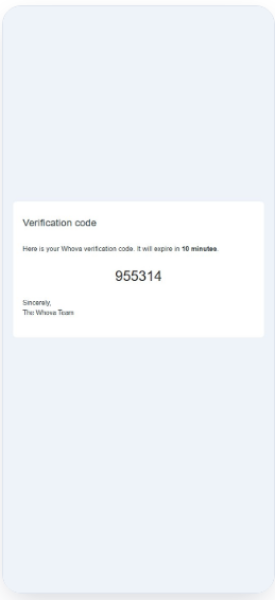
- Access to that email’s inbox. Whova will send you a 6-digit code to verify your identity when you create an account.
- An iPhone or Android Phone. The screenshots below show how to download the app on an iPhone. The steps are very similar for an Android.
STEP 1
Download the app
iPhones
- In the App Store, search for “Whova – Event & Conference App”
- Download the app and open once the download is complete
Androids
- In Google Play, search for “Whova – Event & Conference App”
- Download the app and open once the download is complete
STEP 2
Create your account
iPhones & Androids
- Select the Sign up/ Sign In button
- Enter the email you used to register for the Annual Meeting (do not choose “sign in with Apple ID option”).
- Fill in the required information to set up your account
STEP 3
Verify your account
iPhones & Androids
- Located message from Whova in your email inbox and copy the verfication code
- Return to Whova and enter the verification code
- Select Verify
STEP 4
Finish profile and access the AM event
iPhones & Androids
- You may enter additional information about your profile (all are optional settings)
- Explore the Annual Meeting app
- Use tabs along the bottom to open up the Agenda, Attendees, Community, and Messages.
- Additional resources are also available using the boxed links in the middle of the landing page.
Need help?
If the Annual Meeting event does not appear after following these steps, please check that you used the same email to register for the Annual Meeting.
Still stuck? Email us at jaredkoller@asor.org and we will help you set up your account.